Quick Answer: The best render farm for Cinema 4D in 2026 depends on your workflow. Drop & Render offers the deepest Cinema 4D integration with upfront validation and one-click submission. Rebus Farm is an established industry veteran with reliable support. Ranch Computing gives you granular control. Garage Farm is the budget-friendly option, and SUPERRENDERS works entirely from your browser.
How We Compared These Render Farms
For this comparison, we only selected official Maxon Render Farm Partners listed on the Maxon partner page. This ensures compatibility, reliability, and official support for Cinema 4D workflows.
We evaluated each farm based on what matters most to Cinema 4D artists:
- Ease of Use: How quickly can you go from scene to render?
- Plugin & Version Support: Coverage for Cinema 4D builds and render engines
- Asset Management: Automatic collection, sync, and remapping of textures and caches
- Take Rendering: Support for Cinema 4D's powerful take system
- Direct Output: Write renders straight back to your local drive
- Cost Transparency: Clear pricing and calculators
- Support & Reliability: Human support speed and problem resolution
Feature Comparison
| Feature | Drop & Render | Rebus Farm | Ranch Computing | Garage Farm | SUPERRENDERS |
|---|---|---|---|---|---|
| Support for Takes | ✓ | ✓ | ✓ | ✓ | ✗ |
| Scene Check | ✓ | ✓ | ✗ | ✗ | ✗ |
| In-App Plugin | ✓ | ✓ | ✓ | ✓ | ✗ |
| Tile Rendering | ✓ | ✗ | ✗ | ✗ | ✗ |
| Automatic Asset Remap | ✓ | ✓ | ✗ | ✗ | ✗ |
| 24/7 Support | ✓ | ✓ | ✗ | ✓ | ✓ |
Render Engine Support
| Render Engine | Drop & Render | Rebus Farm | Ranch Computing | Garage Farm | SUPERRENDERS |
|---|---|---|---|---|---|
| Redshift | ✓ | ✓ | ✓ | ✓ | ✓ |
| Octane | ✓ | ✓ | ✓ | ✗ | ✓ |
| Arnold | ✓ | ✓ | ✓ | ✓ | ✓ |
| V-Ray | ✓ | ✓ | ✓ | ✓ | ✓ |
| Corona | ✓ | ✓ | ✓ | ✓ | ✓ |
| Cycles 4D | ✓ | ✗ | ✓ | ✓ | ✗ |
Drop & Render Review (2026)
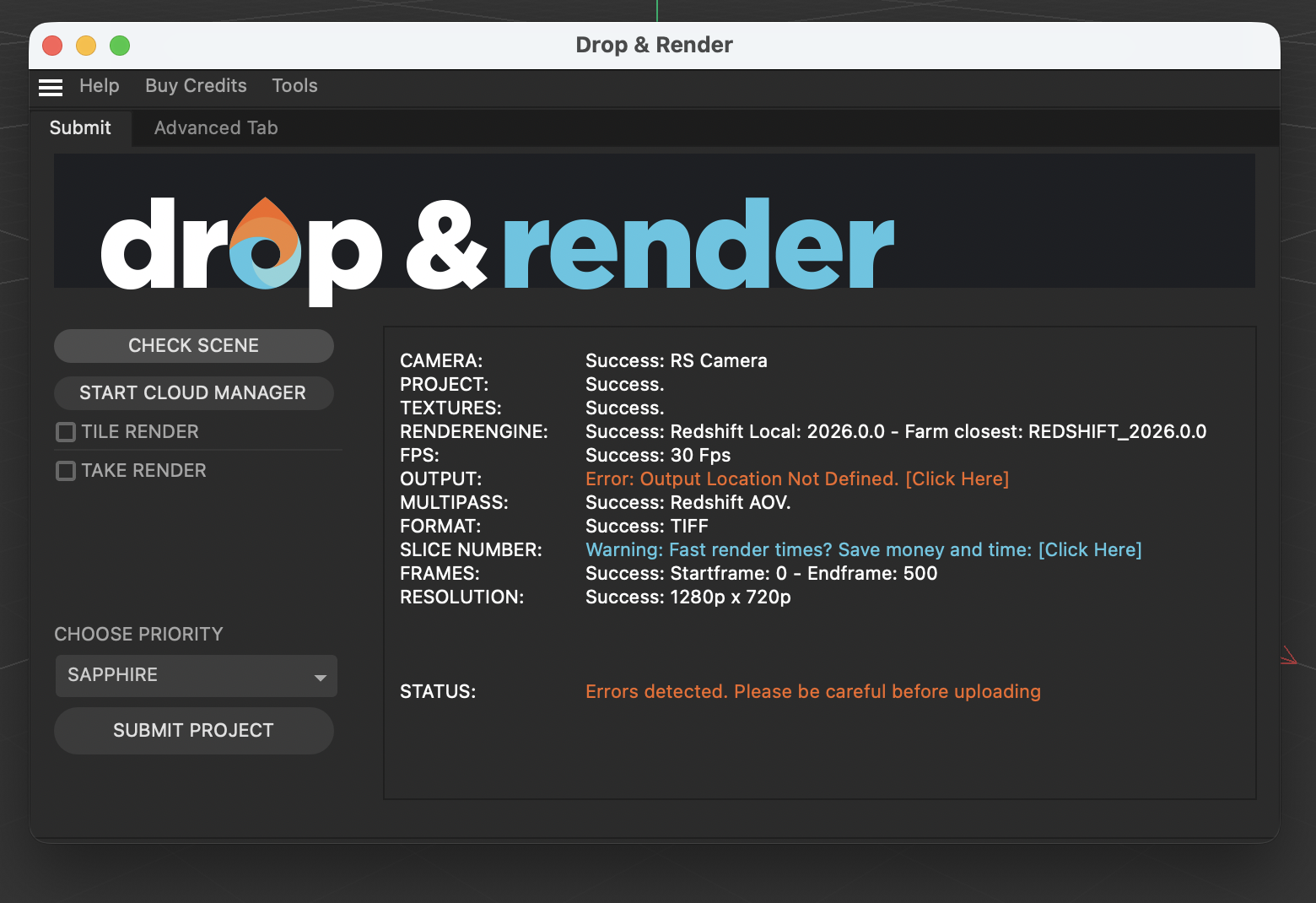
Drop & Render is an official Maxon Render Farm Partner and has been a trusted choice for Cinema 4D artists for many years. The platform is built around deep, reliable integration with Cinema 4D through a dedicated plugin that validates your project before submission.
What sets Drop & Render apart is its upfront scene checking. All critical settings (missing textures, unsupported plugins, render settings) are validated before your job leaves your machine. This means fewer failed renders and less wasted time troubleshooting on the farm.
Submission is a one-click process. Rendered output is delivered directly back to your workstation, and progress can be monitored in real time through the online dashboard or mobile app. This makes it easy to stay in control of your jobs, whether you're in the studio or on the move.
Highlights
- Official Maxon Render Farm Partner
- Dedicated Cinema 4D plugin with upfront scene validation
- One-click submission with automatic asset collection
- Full version support for all Cinema 4D builds, render engines, and plugins
- Direct output to your local workstation
- Take rendering, tile rendering, and large-scale production support
- Real-time monitoring via dashboard and mobile app
- 24/7 professional support
Rebus Farm Review (2026)
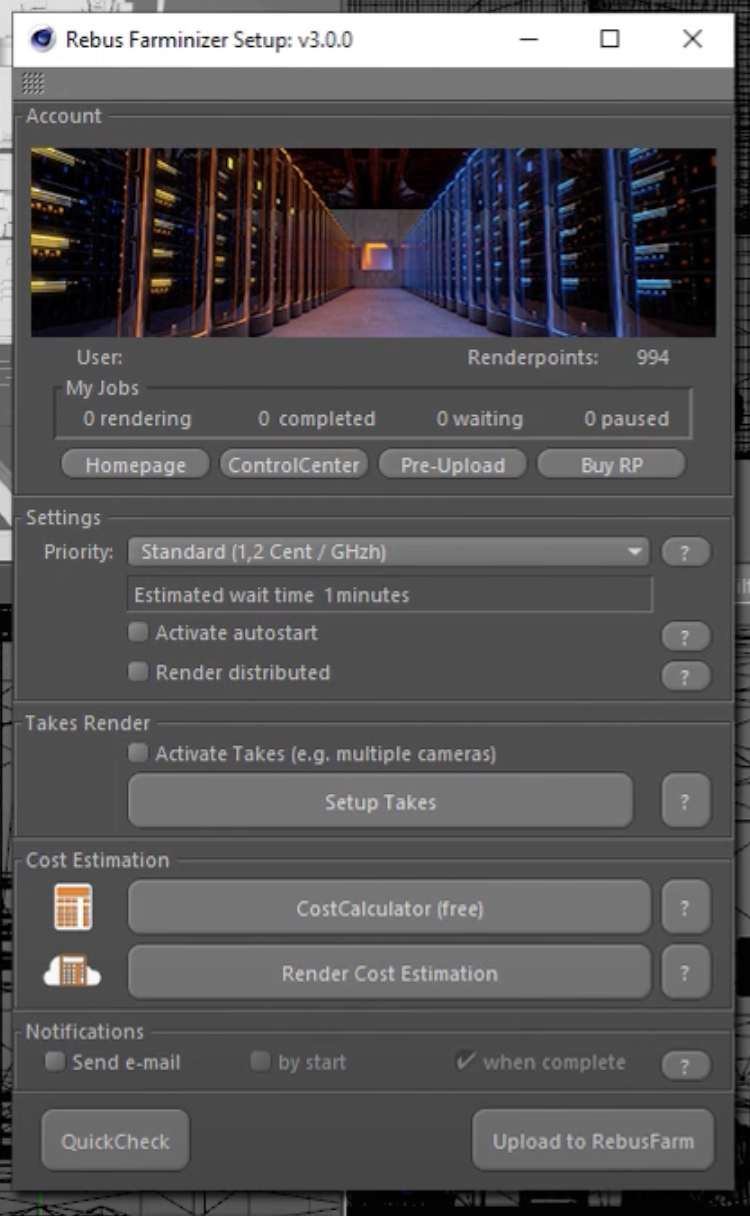
Rebus Farm is the oldest and most recognized name in the render farm space. They've built a reputation for solid, dependable service and have maintained excellent Cinema 4D support throughout the years.
Their Farminizer plugin is intuitive and well-designed. It analyzes your scene, flags potential issues, and lets you know if anything needs adjustment before submission. Like Drop & Render, output is downloaded directly to your workstation, keeping your workflow uninterrupted.
Rebus offers broad render engine support including Octane, Arnold, V-Ray, and Corona alongside Redshift. For artists who work across multiple renderers, this flexibility is valuable.
Highlights
- Industry veteran with proven track record
- Farminizer plugin for easy submission and scene checking
- Automatic asset remapping
- Direct download to your workstation
- Broad render engine support
- 24/7 support
Ranch Computing Review (2026)
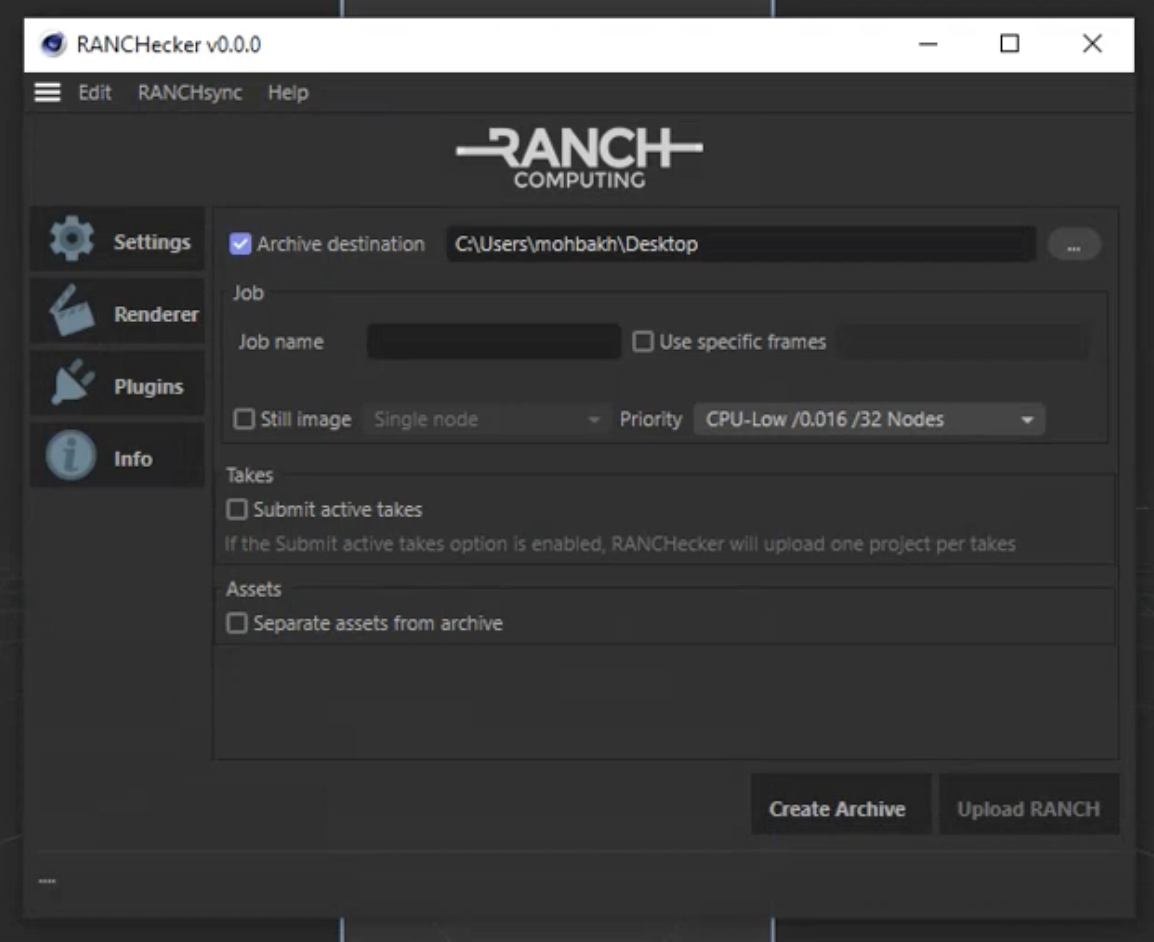
Ranch Computing takes a different approach, focusing on giving artists granular control over their rendering process. Their Cinema 4D plugin handles project packaging and submission, with detailed options for node selection and job configuration.
Ranch is transparent about supported versions, allowing you to select your Cinema 4D build manually. This reduces version mismatch issues and gives technical directors visibility into what's running on the farm. (Drop & Render takes this further with automatic version detection and support for virtually every Cinema 4D version, render engine, and third-party plugin, but Ranch's manual approach appeals to those who want explicit control.)
The trade-off is a slightly steeper learning curve. Ranch is best suited for artists and studios who want hands-on control rather than a fully automated workflow.
Highlights
- Detailed control over job configuration
- Transparent version and renderer selection
- Support for takes and complex workflows
- In-app plugin for Cinema 4D
- Good for technical users who want full control
Garage Farm Review (2026)
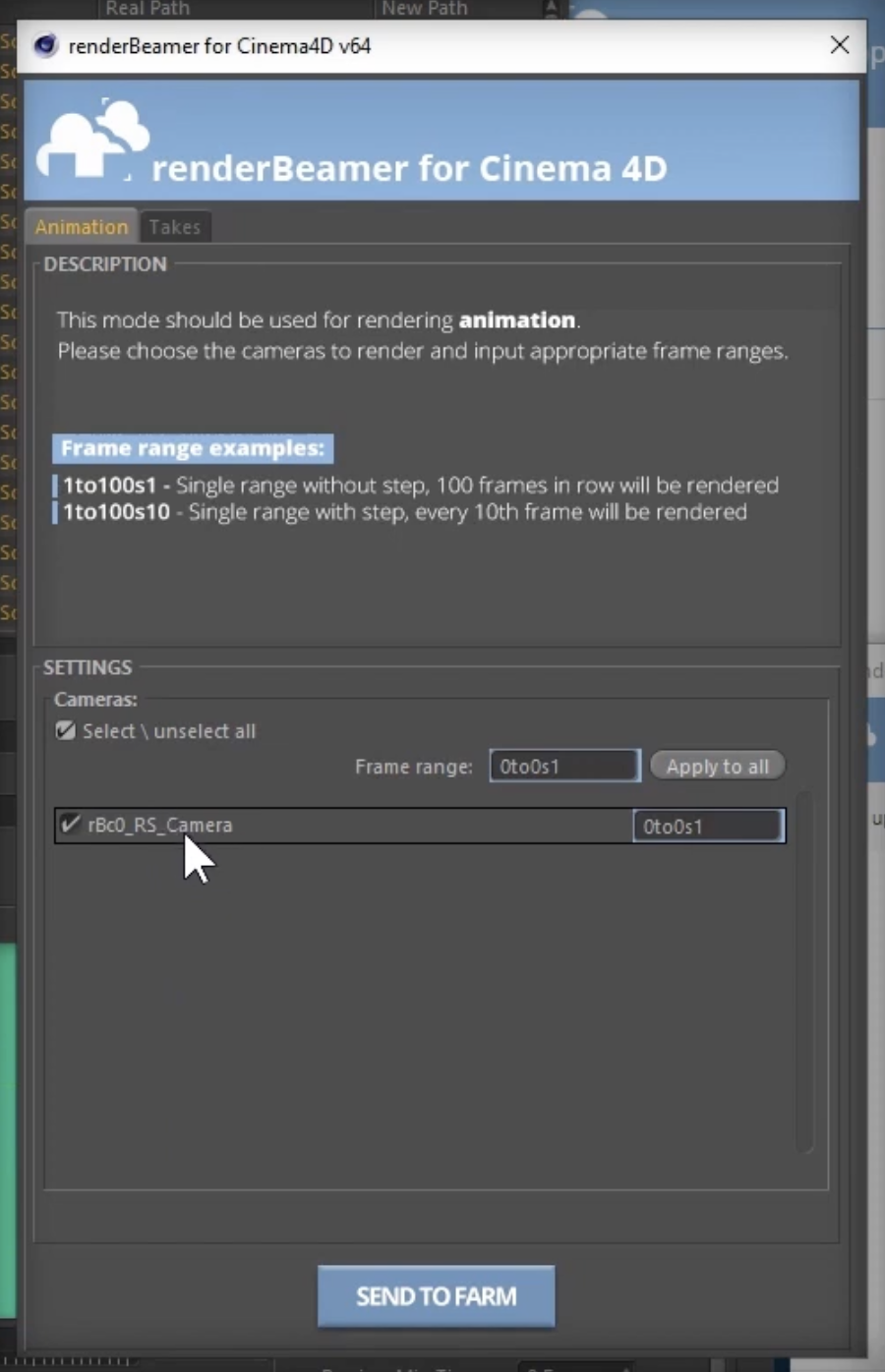
Garage Farm has positioned itself as the budget-conscious option in the render farm market. Their pricing model is straightforward, and for artists who need to keep costs down, Garage Farm often comes out ahead in raw price comparisons.
Their Cinema 4D plugin handles submission directly from the application. The interface is clean and gets the job done, though it lacks some of the advanced validation features found in Drop & Render or Rebus.
Garage Farm is a solid choice for freelancers and smaller studios where budget is the primary concern. However, the lower price point does come with some limitations: fewer simultaneous machines at the lowest tiers and less robust scene checking.
Highlights
- Competitive pricing, often the lowest cost option
- In-app plugin for Cinema 4D
- Support for takes
- 24/7 support
- Good for budget-conscious artists
SUPERRENDERS Review (2026)
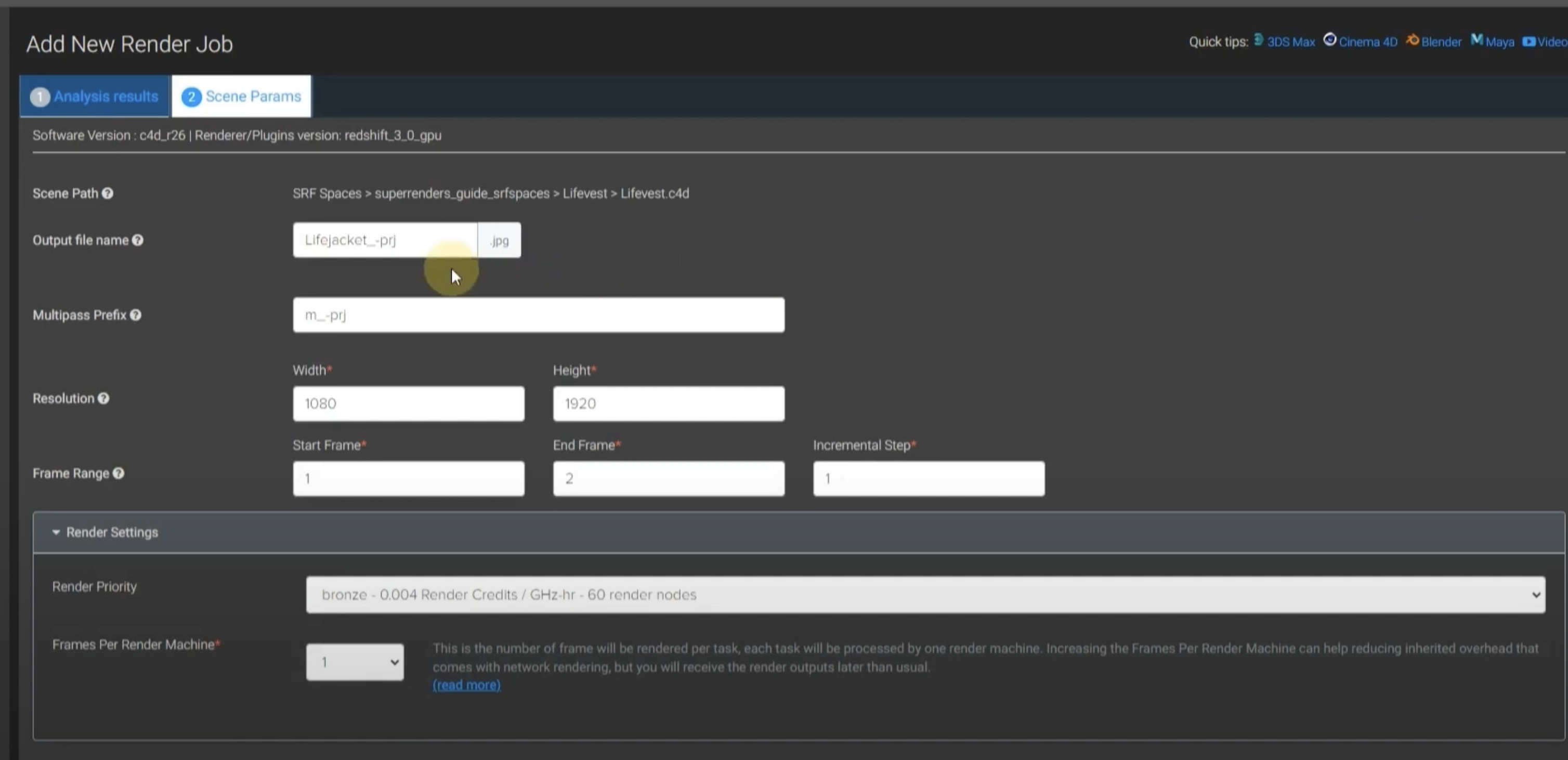
SUPERRENDERS takes a completely different approach to the render farm workflow. Instead of installing a plugin, you upload your project through a web browser. The scene is analyzed in the cloud, and you can start the render and download results, all without installing anything on your workstation.
This browser-based workflow is ideal for artists who don't want to install additional tools, work on locked-down studio machines, or need to submit jobs from different computers. It's also useful when you're away from your main workstation.
The trade-off is less integration with Cinema 4D itself. You won't get the same real-time validation or seamless asset collection that plugin-based farms offer.
Highlights
- Fully browser-based, no installation required
- Upload, render, and download all from the web
- Works from any computer
- 24/7 support
- Broad render engine support
- Great for artists who want zero local software
Pricing Comparison (2026)
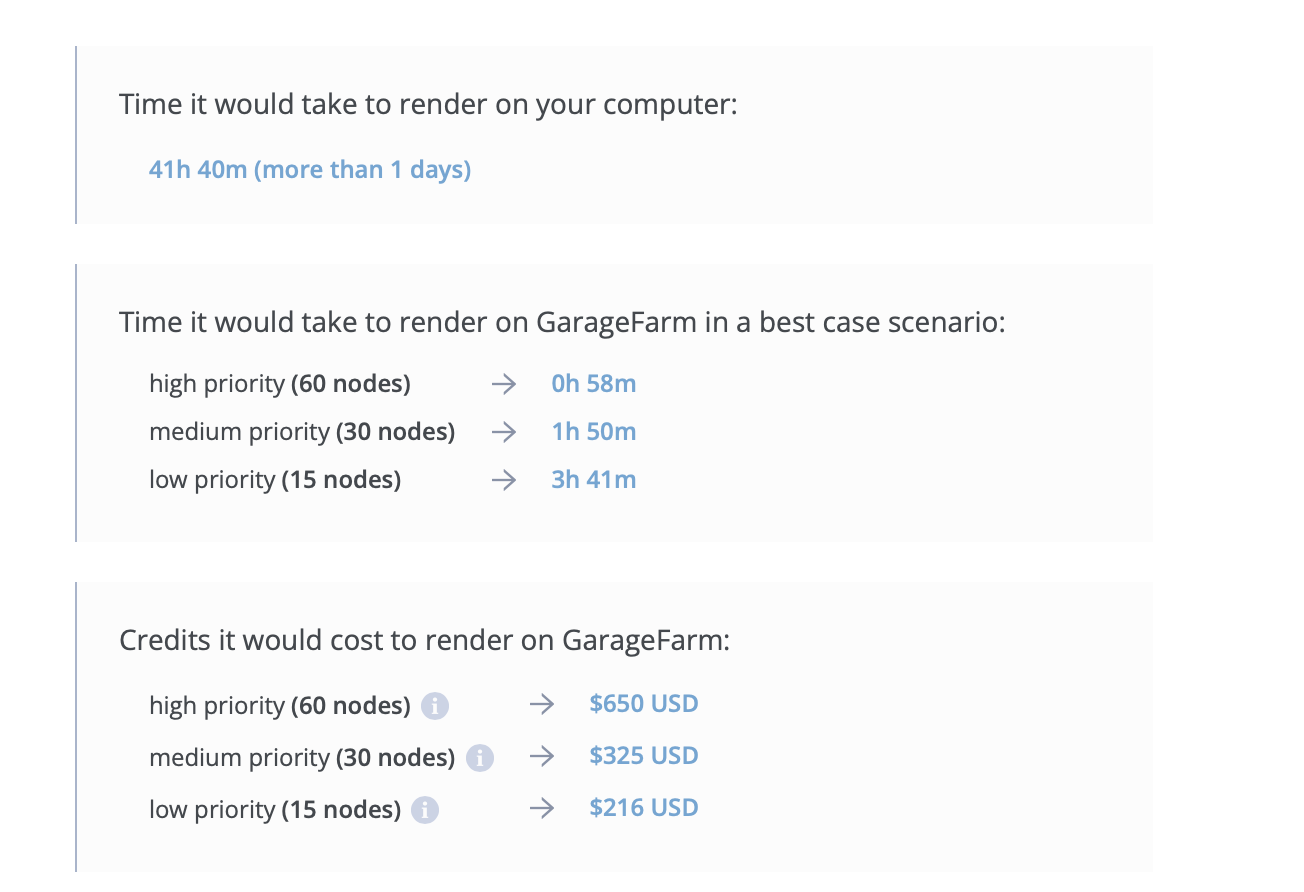
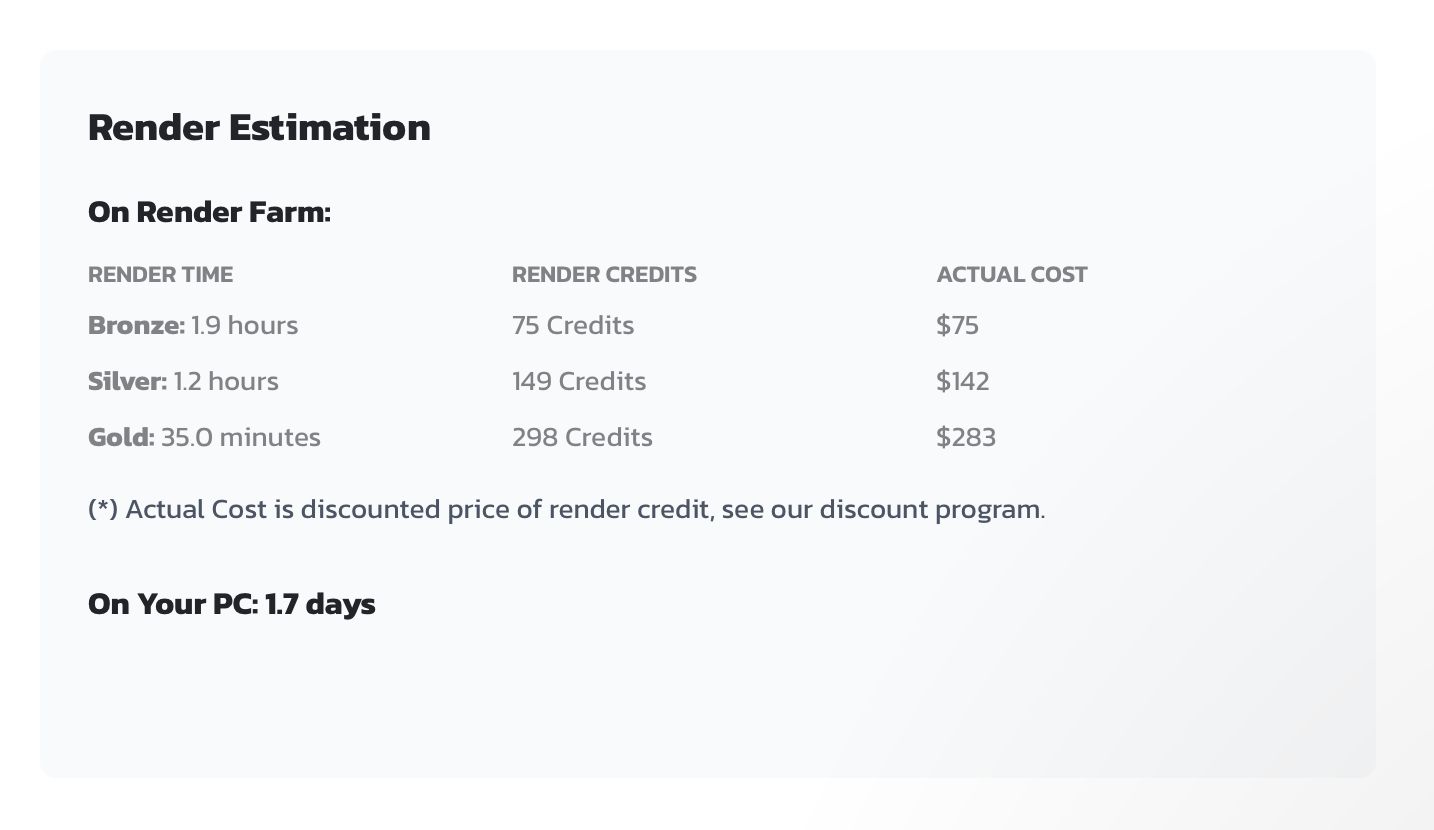
Price is always a deciding factor, so we calculated the cost of rendering a standard test job across all five farms.
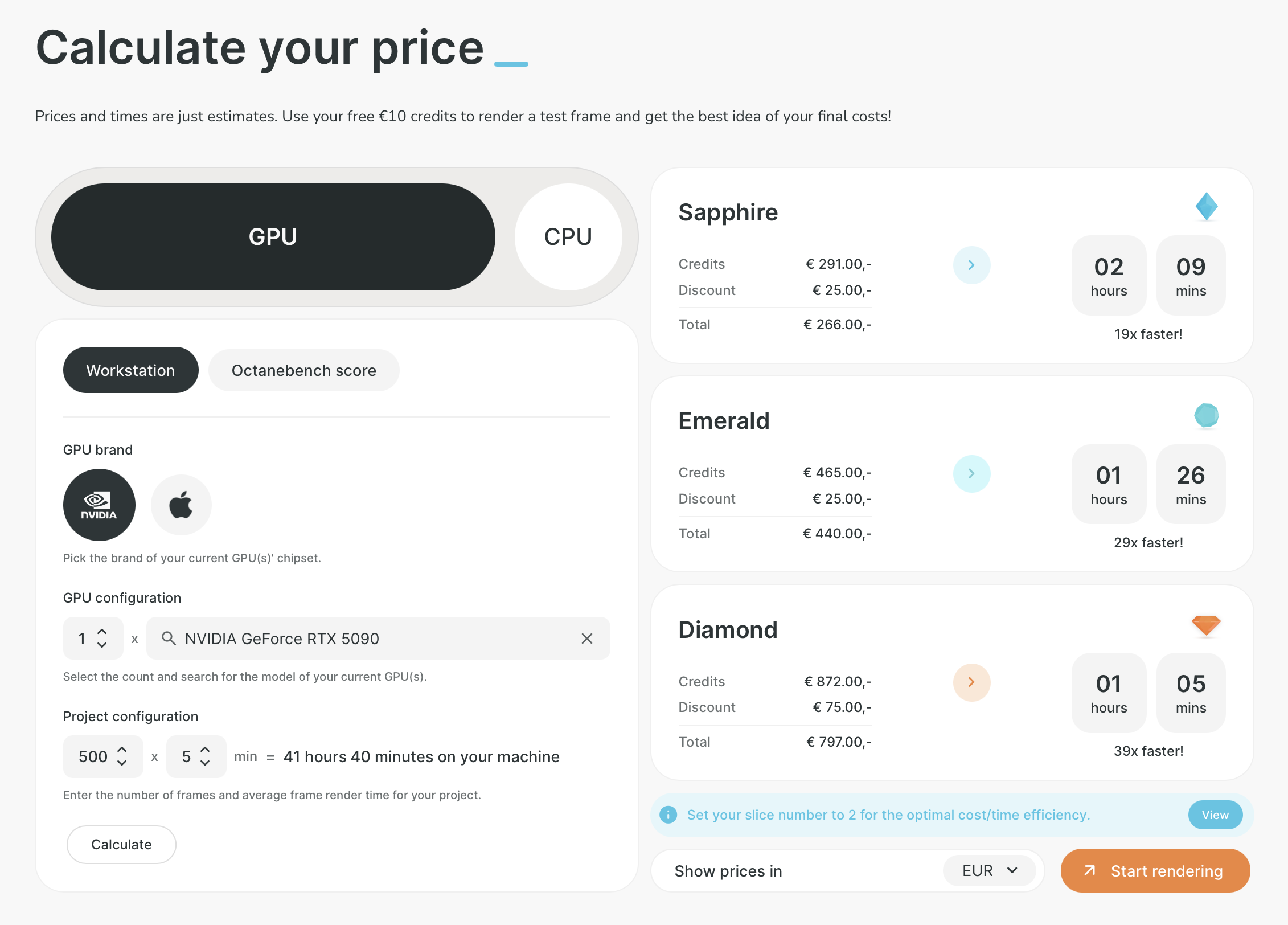
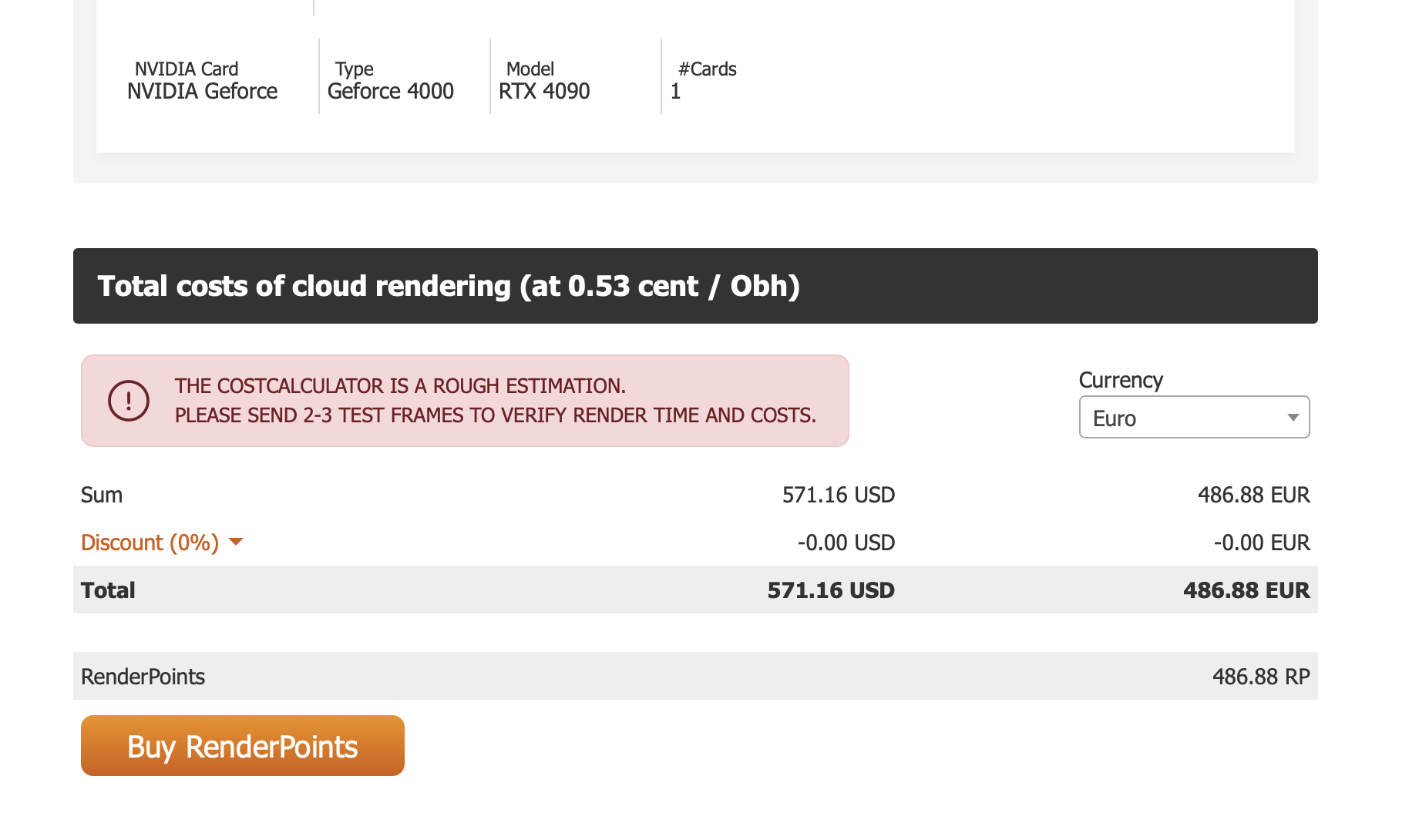
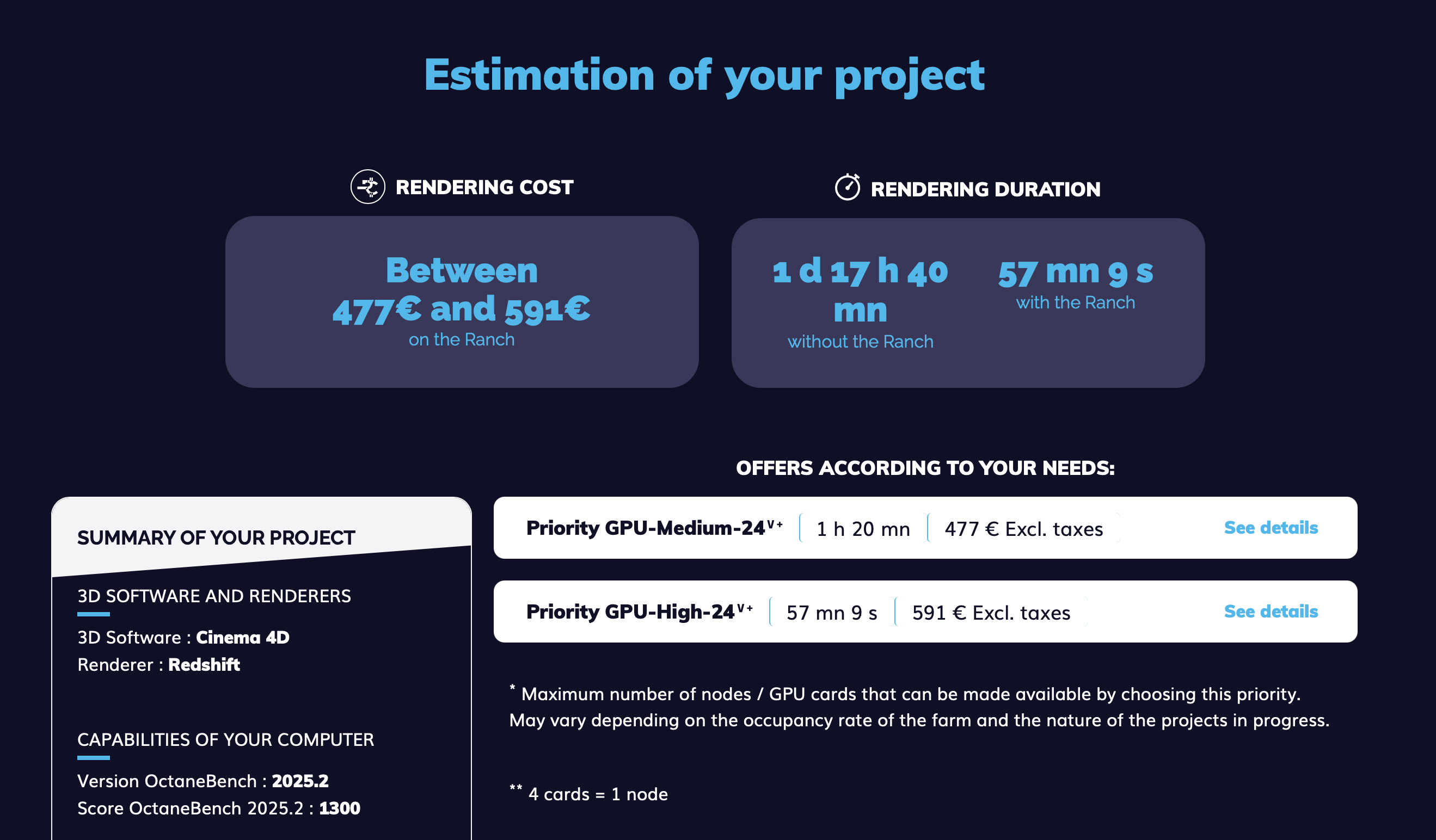
Test Parameters
- 500 frames
- 5 minutes per frame
- GPU render (RTX 4090)
- Lowest available pricing tier
| Render Farm | EUR | USD |
|---|---|---|
| Drop & Render | ~€143 | ~$150 |
| Garage Farm* | ~€205 | ~$216 |
| SUPERRENDERS | ~€269 | ~$283 |
| Ranch Computing | €477–591 | $502–622 |
| Rebus Farm | ~€486 | ~$511 |
*Garage Farm's lowest tier is limited to 16 machines simultaneously. Currency conversion based on January 2026 exchange rate (~1 EUR = $1.05 USD).
Takeaway
Drop & Render is now the most affordable option in this comparison at ~$150 for the test job — significantly below Garage Farm's ~$216. When you combine the lowest price with the best Cinema 4D integration, scene validation, and scalability, Drop & Render offers the strongest overall value.
Key Takeaways
- Best Overall Integration: If you want the smoothest Cinema 4D experience with upfront scene validation, one-click submission, automatic asset remapping, and direct-to-disk rendering, Drop & Render is hard to beat. The tile rendering support is also unique for large-format stills.
- Most Established: Rebus Farm is the industry veteran with decades of proven reliability. If you value a long track record and broad render engine support, Rebus is a safe choice.
- Best for Control: If you want granular control over your render jobs and exact version matching, Ranch Computing gives you the most options.
- Best Budget Option: Drop & Render and Garage Farm are the most cost-effective choice.
- Best for No-Install Workflow: If you can't or don't want to install plugins, SUPERRENDERS lets you render entirely from your browser.
Cinema 4D Render Farm FAQ (2026)
What is the best render farm for Cinema 4D?
It depends on your priorities. Drop & Render offers the best Cinema 4D integration with upfront validation. Rebus Farm has the longest track record. Garage Farm is best for budget-conscious artists. Ranch Computing is ideal for technical control. SUPERRENDERS works entirely browser-based.
How much does a Cinema 4D render farm cost?
Costs vary by renderer, frame count, and render time. For a 500-frame GPU job at 5 min/frame, prices ranged from ~$150 (Drop & Render) to ~€486 (Rebus Farm) in our test. Most farms offer calculators and free credits for testing.
Which render farms support Redshift?
All five farms in this comparison (Drop & Render, Rebus Farm, Ranch Computing, Garage Farm, and SUPERRENDERS) support Redshift, Cinema 4D's native GPU renderer.
Can I use Cinema 4D takes on a render farm?
Yes. Drop & Render, Rebus Farm, Ranch Computing, and Garage Farm all support Cinema 4D's take system for rendering multiple variations from a single scene.
What is tile rendering and which farms support it?
Tile rendering splits a single high-resolution frame into smaller tiles that render in parallel, then stitches them back together. This is essential for large-format stills and print work. Currently, Drop & Render is the only farm in this comparison offering tile rendering for Cinema 4D.
Do I need to install software to use a render farm?
Most farms require a Cinema 4D plugin for the smoothest experience. However, SUPERRENDERS works entirely through a web browser with no installation required.
Which render farms are official Maxon partners?
All farms in this comparison are official Maxon Render Farm Partners, listed on the Maxon partner page. This ensures compatibility and official support for Cinema 4D.
Ready to try cloud rendering for your Cinema 4D projects? Start your free trial with Drop & Render and see the difference proper Cinema 4D integration makes.