Which Cinema 4D plugins are actually worth installing in 2026?
Everyone already knows the heavyweights: X-Particles, Greyscalegorilla's HDRI Link, Forester. They have earned their place. But the most workflow-changing tools of 2026 are newer and quieter, and a lot of artists have not heard of them yet. These five are the ones to put on your radar right now:
- Nordmesh; SketchUp-style direct modeling, native to Cinema 4D. From €41.30 (lifetime).
- KitBash3D Cinema 4D plugin; 1-click USD asset import, up to 50% faster. Free with Cargo.
- Gaussian Splat Studio; import, render and art-direct Gaussian splats inside C4D. $59.99.
- FlowGraph; node-based sequence animation, the easy way. $40.
- Insydium Jidou; a five-tool procedural animation toolkit. Part of Insydium Fused.
We see tens of thousands of Cinema 4D scenes pass through the Drop & Render farm, so we get a front-row view of what artists are actually building with. This list is the result: five plugins that change how a scene gets made, not just what gets added to it. We start with the one that quietly fixes Cinema 4D's oldest weak spot.
Nordmesh: direct modeling in Cinema 4D, finally
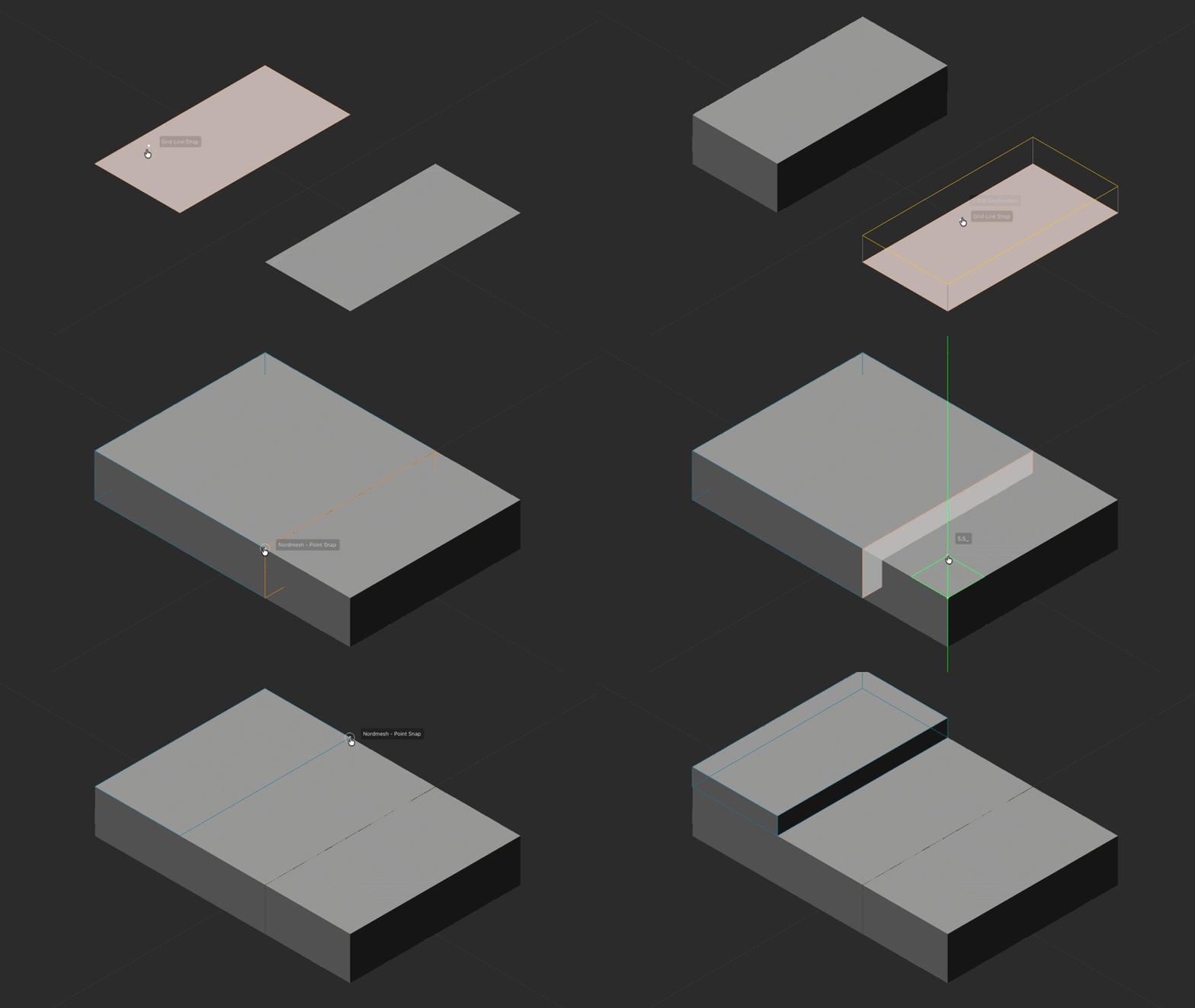
You always wished you could model in Cinema 4D like this.
Draw a shape. Type a size. Push it out. Then draw straight onto your model, snap to a corner, an edge, or anywhere on the surface, and keep building. Push it in for a clean recess. Or cut clean through, no Booleans, no cleanup.
Smart guides line everything up: parallel, perpendicular, snap one face right to another. Offset an edge. Rotate to an exact angle. Measure anything, and snap to that too.
Just a handful of dead-simple tools that make C4D modeling feel the way it always should have.
That is Nordmesh, from The Great Summit. It brings the click-click, push-pull flow that SketchUp users have taken for granted for years straight into the Cinema 4D viewport, with no menus, no modifier stacks, and no Boolean meshes to repair afterwards. It is built around six tools you already think in:
- Pen; a click-click polyline that closes into a clean, filled N-gon and knifes straight into the face you drew on. Lengths, axis locks and unit-aware numeric input are built in.
- Rectangle; a two-click, axis-aligned rectangle with automatic plane locking and exact sizing by typing
W;D. - Push; extrude any face into a watertight solid, with scene-aware snapping that lines remote geometry up for you.
- Rotate; a live, on-screen protractor with 15 degree ticks; the real geometry rotates with your mouse, no ghost preview.
- Offset; inset and outset done properly, with correct corner handling and no self-intersections.
- Measure; two clicks drop a labelled guide line that then becomes a persistent snap target.
Type exact dimensions with real units, even imperial like 3'6", lock to X, Y or Z, and snap to native Cinema 4D vertices, edges and midpoints. Everything stays clean N-gon geometry, so there is nothing to fix when you are done.
If you have ever roughed out a building, a product, a set piece or any hard-surface idea and dreaded the box-modeling busywork, this is the plugin that removes it. For motion designers and archviz artists especially, it turns "block it out" from a chore into a few clicks.
| Price | €41.30 launch offer, 30% off €59, one-time lifetime license |
| Cinema 4D | 2025 and 2026, macOS and Windows |
| Best for | Hard-surface, archviz, product and concept modeling; ex-SketchUp artists |
| Link | thegreatsummit.com/products/nordmesh |
Why it made the list: Cinema 4D has world-class MoGraph and rendering, but native direct modeling has always lagged behind. Nordmesh closes that gap with the most natural workflow there is, and it does it without a subscription.
The KitBash3D Cinema 4D plugin: 1-click asset import
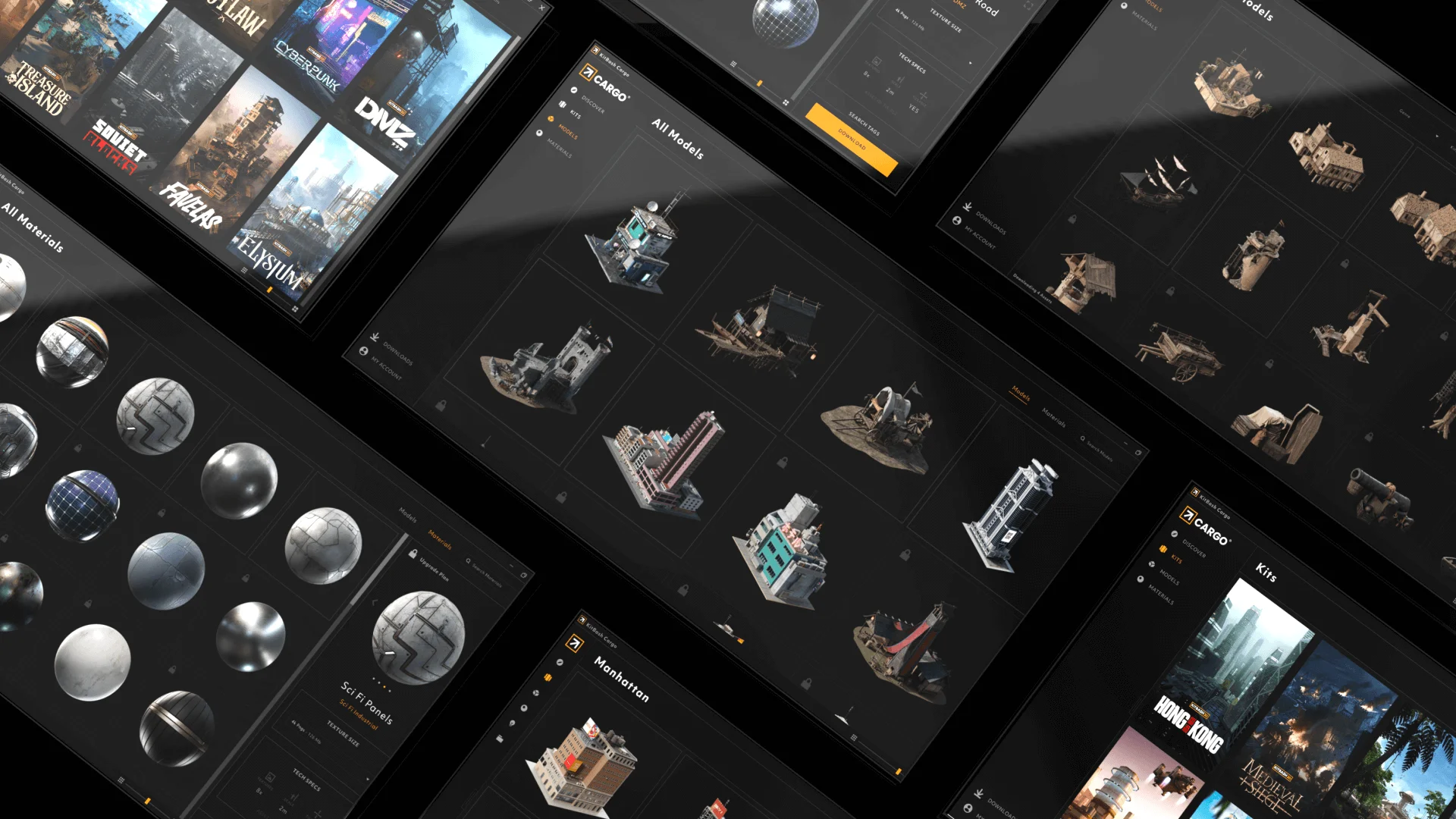
If you build worlds, cities, sci-fi, interiors, you probably already know KitBash3D's asset kits. What you might have missed is that their Cargo app now has a proper Cinema 4D plugin, and it is a big upgrade over the old drag-and-drop routine.
It gives you "plug-and-play access to the full KitBash3D library, with powerful 1-Click Import directly to C4D," and reports up to 50% faster import times thanks to native USD import and clean scene construction. The detail that matters in production: assets come in "with proper pivots, instancing, references, colliders, and material variants, all preserved from the original authoring." No more re-pivoting a hundred buildings or rebuilding instances by hand.
Key things to know:
- Native USD import keeps the scene clean and light, with instancing and references intact.
- Renderer-ready materials for Redshift, Arnold, Octane and V-Ray load automatically, built on a shared USD/MaterialX foundation so looks stay consistent across apps.
- Single or batch import, so you can drop in one hero asset or a whole kit at once.
- Works with Cinema 4D 2023 through 2026.
| Price | Free with Cargo; a KitBash3D library or membership is needed to use the assets |
| Cinema 4D | 2023 to 2026, macOS and Windows |
| Best for | Environment, sci-fi, archviz and world-building artists |
| Link | kitbash3d.com Cargo C4D plugin |
Why it made the list: Big kitbash scenes are exactly the kind of heavy, instance-rich projects that bring a workstation to its knees at render time. A clean USD import keeps them manageable, and when they get too big to render locally, that is what a render farm is for.
Gaussian Splat Studio: bring 3D scans into C4D
Gaussian splatting is one of the most interesting capture techniques in 3D right now: photoreal environments and objects reconstructed from a handful of photos or a phone video. The hard part has always been getting splats into a real production renderer. Gaussian Splat Studio from AlphaPixel solves that for Cinema 4D.
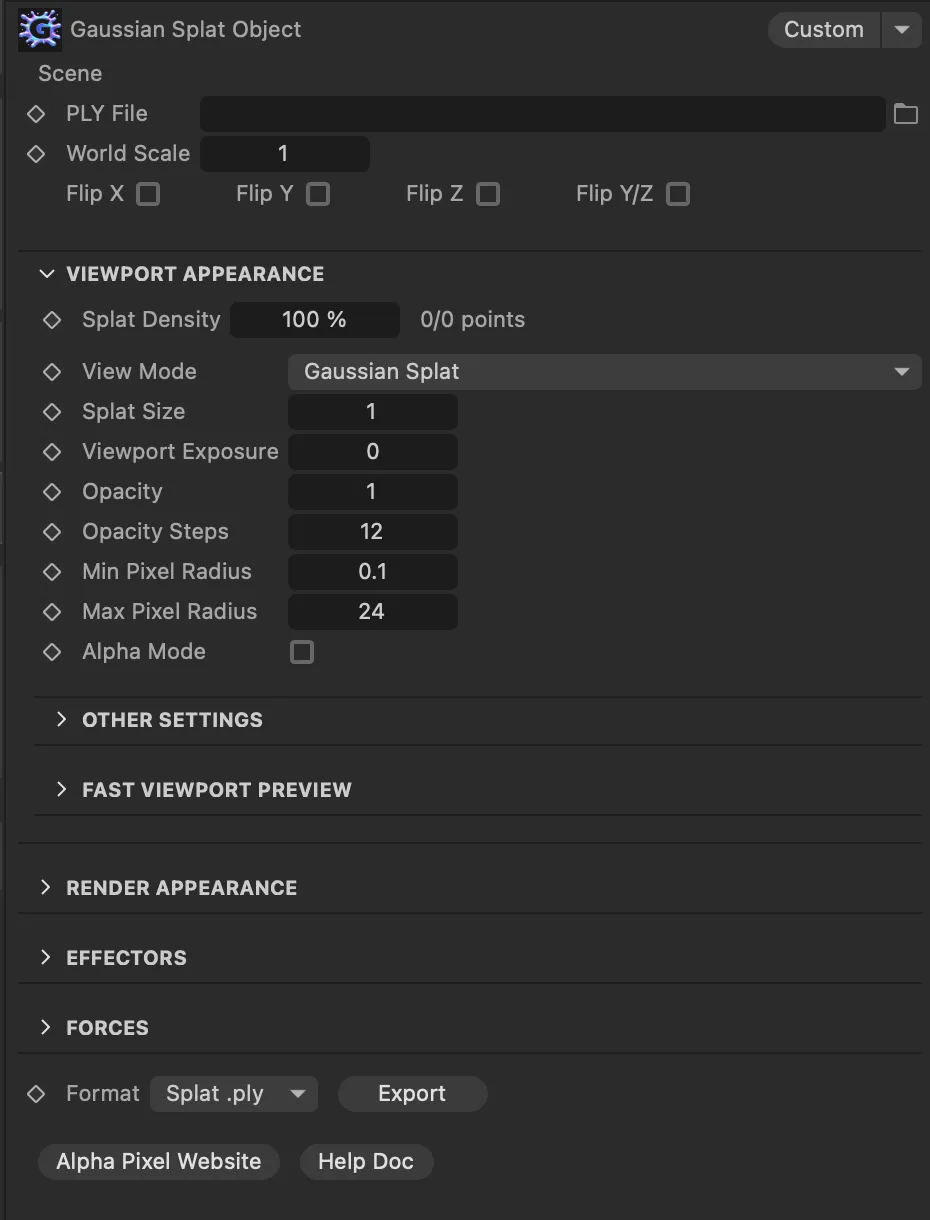
It is "a procedural plugin for importing, viewing, rendering, and exporting Gaussian Splat point data directly in C4D." You drag a .ply splat file straight into the scene and start working. What makes it more than an importer is the art-direction layer on top:
- Multiple render looks: True Gaussian Splat, point cloud, and card or geometry-based options.
- Procedural control with MoGraph Effectors, Forces and Fields, so a captured scene can be animated, scattered or driven like any other C4D object.
- Relight support to blend a captured environment with your CG lighting.
- Alpha matte generation for clean compositing, plus viewport density and preview controls so the editor stays responsive.
- Export cleaned results back out as
.plyor splat.ply.
It builds shaders automatically for Redshift, Octane (beta) and the Standard/Physical renderers.
| Price | $59.99 |
| Cinema 4D | 2024, 2025 and 2026, macOS and Windows |
| Best for | Capture and scan workflows, photoreal environments, virtual production |
| Link | alphapixel.net Gaussian Splat plugin |
Why it made the list: It connects the fast-moving world of 3D capture to a renderer you can actually ship with. Splat-heavy scenes are dense and slow to render, which makes them a perfect candidate for offloading to the farm.
FlowGraph: node-based animation without the headache
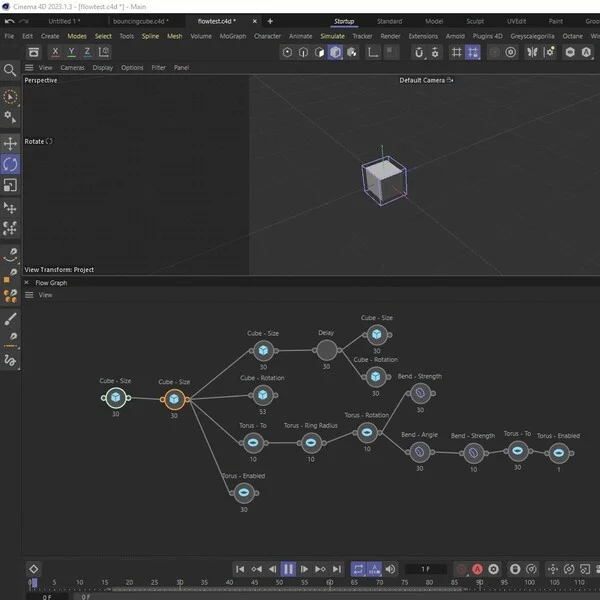
Sequencing a chain of animations in Cinema 4D, "this moves, then that rotates, then this one fades in," usually means a forest of keyframes and a lot of nudging in the timeline. FlowGraph, by Kent Barber, makes it a node graph instead.
It is "a Flow Graph based animation plugin for Cinema 4D." You drag a parameter into the graph, connect nodes so they play one after another, and the whole sequence runs in order. From there you get real control:
- Easing on every node, plus delay nodes to space things out.
- Playback modes: Once, Loop and Ping Pong.
- A single animatable blend parameter to scrub or drive the entire sequence by hand, and a speed multiplier to retime it.
- Objects get a Flow Tag, and the plugin lives in the Extensions menu, so it sits naturally inside your existing scene.
It is cheap for what it does, and it has a long compatibility range: Cinema 4D R20 all the way to 2026, which is rare for a small plugin.
| Price | $40, via Gumroad |
| Cinema 4D | R20 to 2026, macOS and Windows |
| Best for | Motion designers building staged, sequential animation |
| Link | flowgraph.io and Gumroad |
Why it made the list: It is the kind of small, focused tool that pays for itself the first afternoon you use it. Node-based sequencing is far more flexible to revise than hand-keyed timing.
Insydium Jidou: a procedural animation toolkit
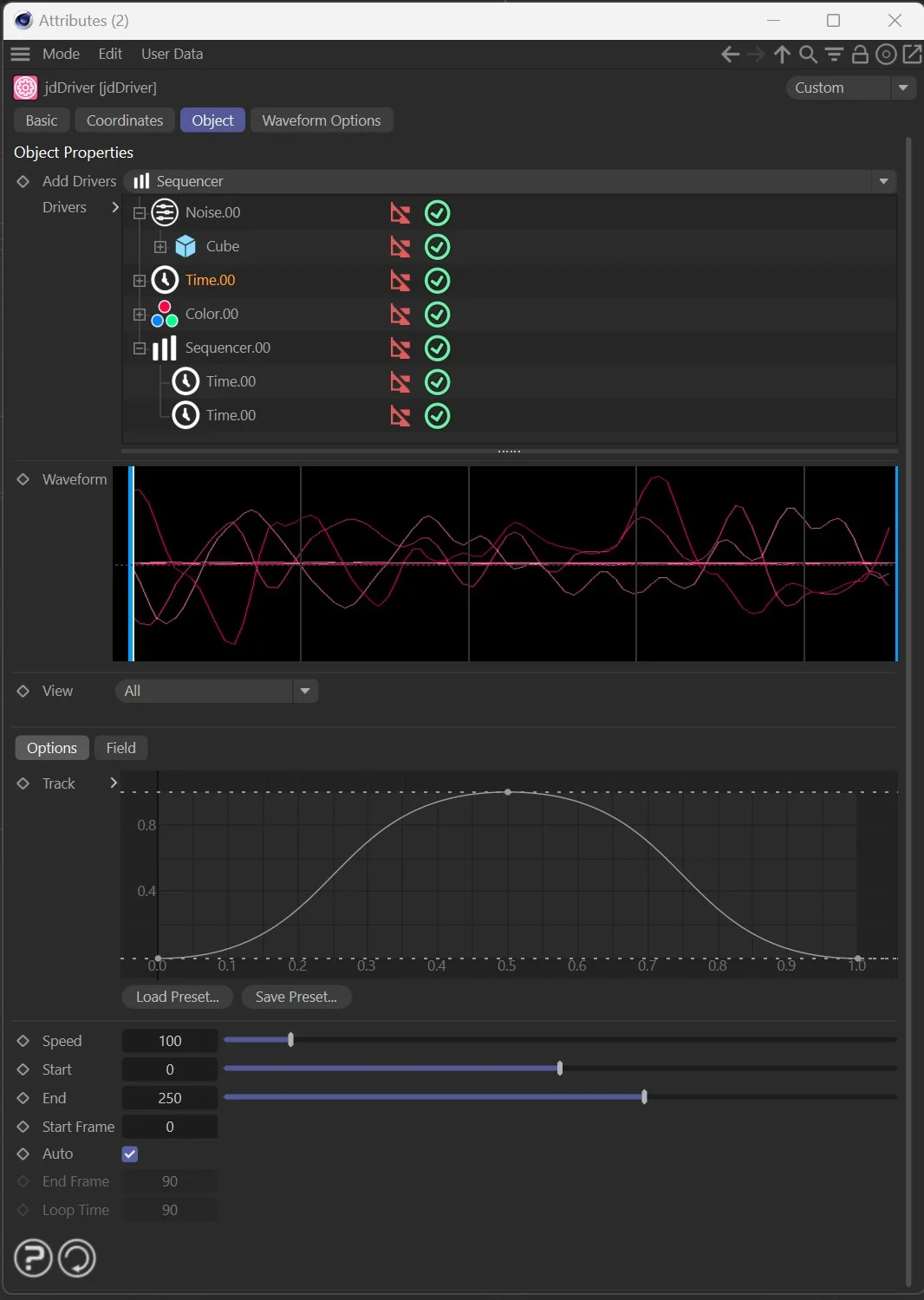
Insydium is best known for X-Particles and the Fused bundle, so it is easy to overlook their newer animation toolkit. Jidou is "a fully procedural animation toolkit that integrates seamlessly into your Cinema 4D workflow." It is five tools rather than one:
- jdDriver; the heart of the set, a powerful object and parameter driving system that lets you drive any parameter with another, from presets or your own setups.
- jdAniMate; animates objects from start and end position, scale and rotation with timing control, and is especially good with clones and hierarchies.
- jdFlowCam; procedural camera animation with timing, holds, ease in and out, and object targeting.
- jdGeoFlow; procedural motion paths with built-in deformation for organic movement.
- jdGeoRoll; rolling controllers with gravity and collision handling, so wheels and rolling objects just work.
It is rule-based, procedural automation, not AI, which means it stays predictable and art-directable. Because it is procedural, changing one input updates the whole animation; no rekeying.
| Price | Part of Insydium Fused, perpetual or subscription, from the Insydium shop |
| Cinema 4D | R19 and later, macOS and Windows |
| Best for | Procedural motion design, rigging-light setups, parameter-driven animation |
| Link | insydium.ltd/products/jidou |
Why it made the list: Procedural animation is where a lot of motion design is heading, and Jidou packages it into tools you can actually reason about. If you already run Fused, you may own it without realising it.
Quick comparison: the 5 Cinema 4D plugins at a glance
| Plugin | What it does | Price | Cinema 4D | Platform |
|---|---|---|---|---|
| Nordmesh | SketchUp-style direct modeling, 6 tools | From €41.30, lifetime | 2025, 2026 | Mac + Win |
| KitBash3D plugin | 1-click USD asset import | Free with Cargo | 2023 to 2026 | Mac + Win |
| Gaussian Splat Studio | Import and render Gaussian splats | $59.99 | 2024 to 2026 | Mac + Win |
| FlowGraph | Node-based sequence animation | $40 | R20 to 2026 | Mac + Win |
| Insydium Jidou | Procedural animation toolkit, 5 tools | Part of Insydium Fused | R19+ | Mac + Win |
How to get the most out of your new plugins
Better tools mean richer scenes: more geometry from Nordmesh, full asset kits from KitBash3D, dense Gaussian splats, and elaborate procedural animation from FlowGraph and Jidou. All of that is useful right up until you hit render and your workstation grinds to a halt.
That is the moment a render farm earns its keep. Drop & Render is built to be the easiest Cinema 4D render farm there is: submit straight from inside C4D in one click, with no file packing, no path remapping, and a scene pre-flight check that catches missing textures before anything uploads. Your frames render on a large pool of GPUs and land back in your project folder. New customers get free starting credits, so you can test it on your next heavy scene without spending a cent.
If you want to go deeper, see our guide to the best Cinema 4D render farms in 2026.
Frequently asked questions
What are the best Cinema 4D plugins in 2026?
Beyond established tools like X-Particles, Forester and Greyscalegorilla's plugins, five newer ones stand out in 2026: Nordmesh for direct modeling, the KitBash3D Cargo plugin for 1-click asset import, Gaussian Splat Studio for 3D capture, FlowGraph for node-based animation, and Insydium Jidou for procedural animation.
What is the best modeling plugin for Cinema 4D?
For fast, direct, push-pull modeling, Nordmesh is the standout in 2026. It brings six SketchUp-style tools natively into the Cinema 4D viewport, so you can draw, extrude and cut clean geometry with snapping and exact numeric input, and without Booleans or cleanup. It costs from €41.30 as a one-time lifetime license.
Is there a SketchUp-style plugin for Cinema 4D?
Yes. Nordmesh gives Cinema 4D the same click-click, push-pull modeling flow that SketchUp is known for: draw a shape, type a size, push it out, snap to edges and surfaces, and keep building, all inside the viewport with clean N-gon results.
Can you use Gaussian splatting in Cinema 4D?
Yes. Gaussian Splat Studio from AlphaPixel imports .ply splat files directly into Cinema 4D and renders them with Redshift, Octane beta, or the Standard and Physical renderers. It also adds procedural control through MoGraph Effectors, Forces and Fields, relighting, and alpha mattes for compositing.
Is the KitBash3D Cinema 4D plugin free?
The plugin itself is free and ships with KitBash3D's Cargo app for Cinema 4D 2023 to 2026. To import and use the actual assets you still need access to a KitBash3D library or membership.
How much does FlowGraph for Cinema 4D cost?
FlowGraph by Kent Barber is $40 on Gumroad and supports Cinema 4D R20 through 2026 on macOS and Windows.
Do these plugins make rendering slower?
Not directly, but they make it easy to build much heavier scenes: dense asset kits, Gaussian splats and complex procedural animation, which take longer to render. For projects that overwhelm your local machine, a render farm such as Drop & Render renders the frames on a large GPU pool and sends them straight back to you.
About Drop & Render
Drop & Render is the easiest cloud render farm for Cinema 4D, Blender and Houdini. Submit from inside your software in one click, skip the file packing and path remapping, and render on a large GPU pool with frames delivered back to your project folder. New users get free render credits to start.