When we built Drop & Render, we started with a simple principle: studios shouldn't have to change how they work to use a render farm.
This sounds obvious, but it's surprisingly rare. Most cloud render services require artists to:
- Restructure their projects into specific folder hierarchies
- Manually collect and package assets
- Convert or re-path textures and caches
- Deal with platform-specific path issues (Windows vs. Linux vs. macOS)
We take a different approach. Our system analyzes your scene, automatically discovers every dependency; from deeply nested USD references to UDIM texture sets; and handles all the complexity behind the scenes.
This blog explains how we do it, focusing on two core systems:
- USD Dependency Resolution: How we traverse complex USD scenes and collect every asset
- Content-Addressable Storage (CAS): How we efficiently store and deduplicate files across all projects

Drop & Render's solution
Part 1: USD Dependency Resolution
Universal Scene Description (USD) presents unique challenges for render farms. Unlike traditional scene formats, USD is:
- Highly compositional: A single USD file can reference dozens of other layers via sublayers, references, payloads, and inherits
- Path-agnostic: Asset paths can be absolute, relative, or resolved through custom resolvers
- Deeply nested: A character asset might reference geometry, which references materials, which reference textures, which use UDIM patterns
A naive file collector that just scans for string paths will miss dependencies. You need to actually open the USD stage and traverse the composition arc.
Our Approach: Recursive Stage Traversal
Our USDDependencyScanner opens each USD file as a proper Pixar USD stage and walks through every layer, prim, and attribute:
Top-Level USD
    ├── Collect all used layers (sublayers, references, payloads)
    ├── Traverse all prims
    │   ├── Scan attributes for asset paths (textures, volumes, geometry)
    │   ├── Handle UDIM patterns (<UDIM> → 1001, 1002, 1003...)
    │   └── Detect USD clips metadata (frame caches)
    ├── Check for companion folders (.volumes, .textures, .abc)
    └── Recursively scan any discovered USD files
This means we catch everything: MaterialX references inside shading networks, VDB sequences pointed to by volume primitives, Alembic caches used as references, and even audio files embedded in metadata.
Handling the Edge Cases
Real production USD files are messy. Here's how we handle common edge cases:
UDIM Texture Expansion
When we encounter a path like /textures/diffuse.<UDIM>.exr, we don't just record the pattern; we scan the directory and expand it to every actual tile:
/textures/diffuse.<UDIM>.exr
    -> /textures/diffuse.1001.exr
    -> /textures/diffuse.1002.exr
    -> /textures/diffuse.1011.exr
    -> /textures/diffuse.1012.exr
    ... (all tiles that exist on disk)
USD Clips (Value Clips / Template Clips)
USD clips are how productions handle heavy per-frame geometry caches. A character's cloth simulation might be split across hundreds of individual USD files. We parse the clips metadata to discover:
assetPaths— Explicit arrays of per-frame filestemplateAssetPath— Template patterns with frame substitutionmanifestAssetPath— Manifest files that accelerate clip loading
Companion Folders
Many studios organize assets with companion folders. A hero_character.usd file might have:
hero_character.usd.volumes/— VDB sequences for hairhero_character.usd.textures/— All texture mapshero_character.usd.abc/— Alembic caches
We automatically detect and include these, even when they're not explicitly referenced in the USD.
Sequence Detection
Frame sequences (like simulation.0001.vdb, simulation.0002.vdb, etc.) are detected and grouped. We handle various naming conventions and even detect frame steps (rendering on 2s? We'll figure it out).
Multi-USD Packaging: 100 Jobs, One Submission
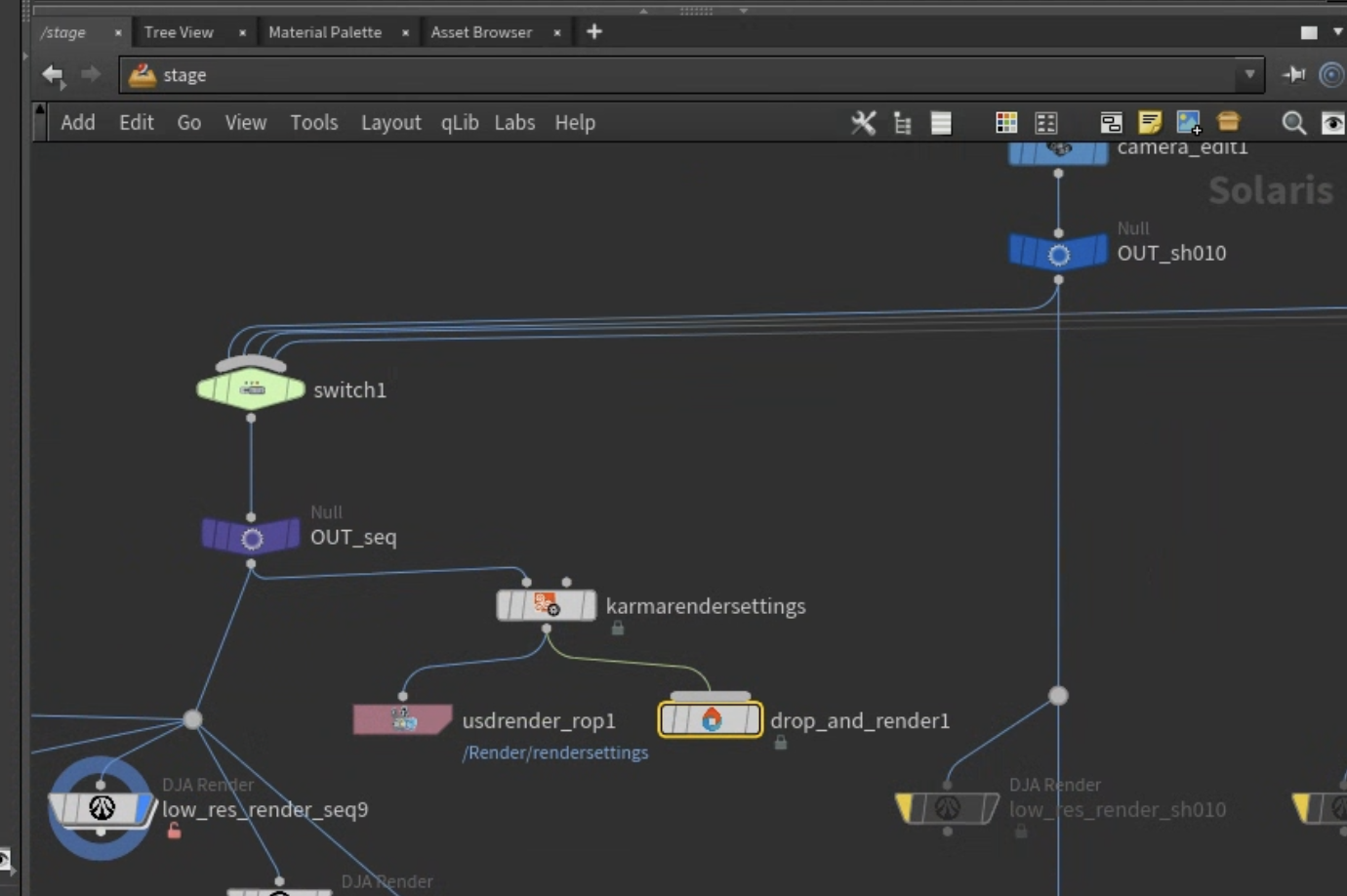
Here's where it gets interesting. Studios often need to render multiple shots or variations from a single session. Our system supports submitting up to 100 different USD render jobs in a single submission.
Each USD file gets its own "package" with:
- All its resolved dependencies
- Correct relative path structure preserved
- Proper remapping information for the farm
But here's the key: when multiple USD files share assets (which they almost always do; think shared textures, rigs, or environments), those assets are only uploaded once. This is where our CAS system comes in.

Part 2: Content-Addressable Storage (CAS)
The Problem with Traditional File Sync
Traditional render farm file sync works like this:
- Upload all project files to the farm
- Render
- Files sit on farm storage until manually deleted
This creates massive waste:
- The same texture gets uploaded for every project that uses it
- Storage fills up with duplicate files
- Studios pay for storing the same HDRI environment map hundreds of times
How CAS Works
Content-Addressable Storage flips this model. Instead of organizing files by path, we organize by content:
Traditional Storage:
    /projects/shot_010/textures/wood_diffuse.exr
    /projects/shot_020/textures/wood_diffuse.exr  ← Duplicate!
    /projects/shot_030/textures/wood_diffuse.exr  ← Duplicate!

CAS Storage:
    /cas/a7f3b2c1d4e5...  ← One copy, identified by content hash
When you submit a job, every file is hashed. If we already have that exact file (byte-for-byte identical), we don't upload it again. We simply create a hardlink from your project's expected path to the existing blob.
The 7-Day Retention Window
Files in our CAS are retained for 7 days after their last use. Here's the clever part: every time a file is referenced by any job, the timer resets.
This means:
- A texture used daily across multiple projects stays cached indefinitely
- A one-off test render's assets are cleaned up after a week
- You never have to manually manage farm storage
For studios, this is transformative. Your shared asset library effectively stays "warm" on the farm. Submit a new shot using your standard texture library? Those gigabytes of textures are already there; instant sync.
Hardlinks: The Magic Behind Deduplication
When your project expects a file at /project/textures/brick.exr, but that file already exists in CAS, we create a hardlink:
Your project path:     /jobs/JOB-12345/textures/brick.exr
                                ↓ (hardlink)
CAS blob:              /cas/blobs/8a4c2f1b9e7d...
From your job's perspective, the file exists exactly where it expects. But on disk, there's only one physical copy. This is a filesystem-level feature (available on Linux and Windows NTFS), not a symlink; the file is truly present at both paths.
Benefits:
- Zero additional storage for duplicate files
- No path translation needed during render
- Atomic operations: the file either exists or it doesn't
Security and Isolation
A reasonable question: if files are shared, what about security between studios?
The CAS blob paths are content hashes; essentially random strings. There's no way to discover what files exist by guessing paths. Your job only gets hardlinks to blobs that match files you explicitly uploaded. The hash acts as both an identifier and an access token.
Part 3: The Remapping System
Getting files to the farm is only half the problem. Your Houdini scene has paths like C:\Projects\Commercial\textures\logo.png. The farm runs Linux with paths like /jobs/JOB-12345/tex/logo.png. Every path needs to be remapped.
Automatic Path Discovery
When your scene loads on the farm, our remapping system:
- Reads the sync manifest: A file we generate listing every asset and its farm location
- Scans all nodes: Every node type, every string parameter
- Matches assets to parameters: Using both raw and expanded path comparison
- Handles expressions: Backtick expressions,
$Ftokens,$OSvariables
The matching is fuzzy enough to handle different path formats:
$HIP/textures/wood.exr-> matches/jobs/.../tex/wood.exrC:\Art\wood.exr-> matches the same./textures/wood.exr-> still matches
Preserving Structure for USD
For USD specifically, we preserve relative directory structure. If your USD file references ../textures/diffuse.exr, that relative relationship is maintained on the farm. The remapping updates the base paths while keeping internal structure intact.
This is critical for USD because asset paths are often baked into the layers themselves. We can't just change parameter values; we need the actual file structure to match what USD expects.
Part 4: Putting It All Together
Here's what happens when you hit "Submit" on a project with 5 USD render jobs:
-
Scan Phase (~seconds)
- Each USD is opened and traversed
- All dependencies discovered (textures, caches, clips, nested USDs)
- Sequences detected and grouped
- UDIM patterns expanded
-
Package Phase (~seconds)
- Files grouped by common root (preserving structure)
- Location folders calculated for each asset
- Duplicate detection across all 5 jobs
-
Sync Check (~seconds)
- Every file hashed
- Compared against CAS inventory
- Already-synced files marked (no upload needed)
-
Upload Phase (depends on new data)
- Only new/changed files uploaded
- Uploaded to CAS with content-hash naming
- Hardlinks created for project paths
-
Render Phase
- Scene loads on farm
- Paths automatically remapped
- All 5 jobs render with full asset access
The result: you render the same way you work locally. No folder restructuring, no manual asset collection, no path headaches.
Technical Appendix: Supported Asset Types
Our scanner recognizes a broad range of VFX file types:
| Category | Extensions |
|---|---|
| USD | .usd, .usda, .usdc, .usdz |
| Geometry | .abc, .fbx, .obj, .bgeo, .bgeo.sc, .vdb |
| Textures | .exr, .tx, .jpg, .png, .tif, .hdr, .rat, .pic |
| Rendering | .rs (Redshift), .ass (Arnold), .ifd (Mantra) |
| Shading | .mtlx (MaterialX), .osl, .sbsar (Substance) |
| Scene | .hip, .hiplc, .hipnc |
| LUTs/Color | .cube, .3dl, .clf, .ocio |
Conclusion
Building a render farm that "just works" requires solving problems at multiple levels:
- Deep format understanding: USD isn't just files; it's a composition engine
- Intelligent storage: CAS with hardlinks eliminates waste and speeds up sync
- Seamless remapping: Paths translate automatically between platforms
The goal is simple: artists should focus on creating, not on wrangling files for the farm. Everything else is our job.
Want to try Drop & Render?
Questions about our technical approach? Reach out to our team; we love talking about this stuff.