Most articles about Blender render farms argue about the same things. GPU count. Price per hour. Raw speed benchmarks on a BMW scene from 2012. It is a familiar conversation, and after a decade of GPU progress it has become a strange one, because for working Blender artists the render itself is rarely the slowest part of getting a render done.
The slow part is everything around it.
It is finding out, twenty minutes into an upload, that one texture path was absolute instead of relative. It is repacking the .blend, zipping the assets, dragging to a web uploader, waiting for a queue, downloading frames from a dashboard, sorting them into the right folder, then noticing the farm ran a slightly different Blender version and your geometry nodes setup did not survive the trip. None of that is rendering. All of that is work. And on a deadline, that workflow tax often costs more hours than the render ever would.
This is the part of the conversation we want to have. Not which farm has the most GPUs. Not who is cheapest by a penny. The real question is: what does your render farm actually do for you between the moment you decide to render and the moment the frames land on your drive? That is where the time lives. That is where we built Drop and Render.
The workflow tax nobody talks about
Walk through a typical farm submission and count the steps.
Save your scene. Decide what your scene depends on. Hunt for missing textures. Repath them. Pack the .blend, or build a folder structure that mirrors your project. Open a separate uploader, a browser tab, sometimes an FTP client. Wait. Confirm the farm has the right Blender version. Hope your third party add-ons are supported. Submit. Watch a dashboard. Download a zip. Unpack it. Move the frames into the project. Discover one frame failed at 87 percent and resubmit just that one.
Now do that again tomorrow with two parameter tweaks.
Each step is small. Together they are a second job. And every step is a place where a typo, a wrong path, or a version mismatch costs you a real evening. The render farm industry has spent ten years making GPUs faster. The surrounding workflow has barely moved.
We think it should move. So we built around a single idea: you should not have to change anything about how you work in Blender to use a render farm.
What zero change workflow actually means
Zero change workflow is a strict definition, not a marketing phrase. It means three things.
You do not modify your project to make it farm friendly. No repathing, no packing, no special folder structure, no separate export.
You do not leave Blender to render. The submit happens inside Blender, through our add-on, in the same window where you set up the scene.
You do not chase your output. Frames return automatically to a location you chose inside the add-on, on your machine, while you keep working.
The test we hold ourselves to is simple. If using a render farm requires the artist to do anything that local rendering does not require, we have failed at the goal. Hit render, get frames back. That is the bar.
What happens after you click submit
The interesting engineering sits behind that one button. Here is what runs in the background the moment you submit a job.
First, a pre-flight check. Before anything uploads, the add-on walks your scene and tells you whether it is ready. Missing textures, unsaved changes, broken links, anything that would cause a frame to fail later gets flagged now, while you can still fix it in seconds. When the pre-flight clears, you know the job will run. That confidence matters more than people admit. The worst part of any render farm is uploading for forty minutes only to learn it was never going to work.
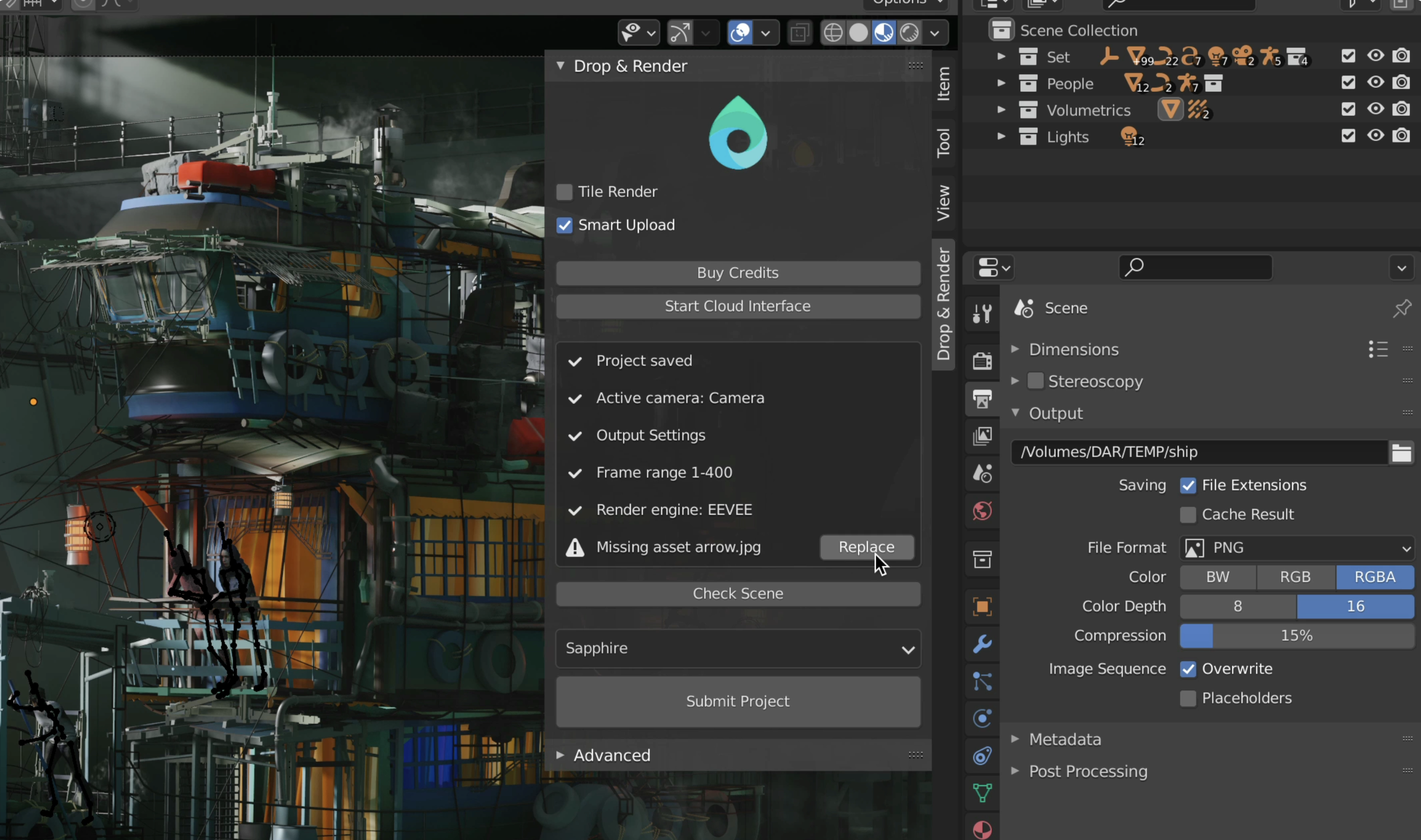
Then the matching layer. We detect the exact Blender version your project was saved in and pair it with the same version on our side. If you are on a daily build, an LTS, or something three releases back, we render on a node that runs that build. No silent upgrades. No "should be compatible." The same Blender, every time.
Then the add-on layer. We scan your scene for third party add-ons in use, and activate matching versions on the farm before the render starts. Geometry nodes assets, BagaPie, Botaniq, Physical Starlight, Flip Fluids, whatever the project actually needs. You did not have to list them. You did not have to install anything on our side. They are simply there when your scene opens.
Then the dependency map. Instead of asking you to pack assets or send a zipped project, we trace every dependency your scene references: textures, linked libraries, caches, IES profiles, simulation data, HDRIs, the lot. We build the list, you confirm, the upload runs.
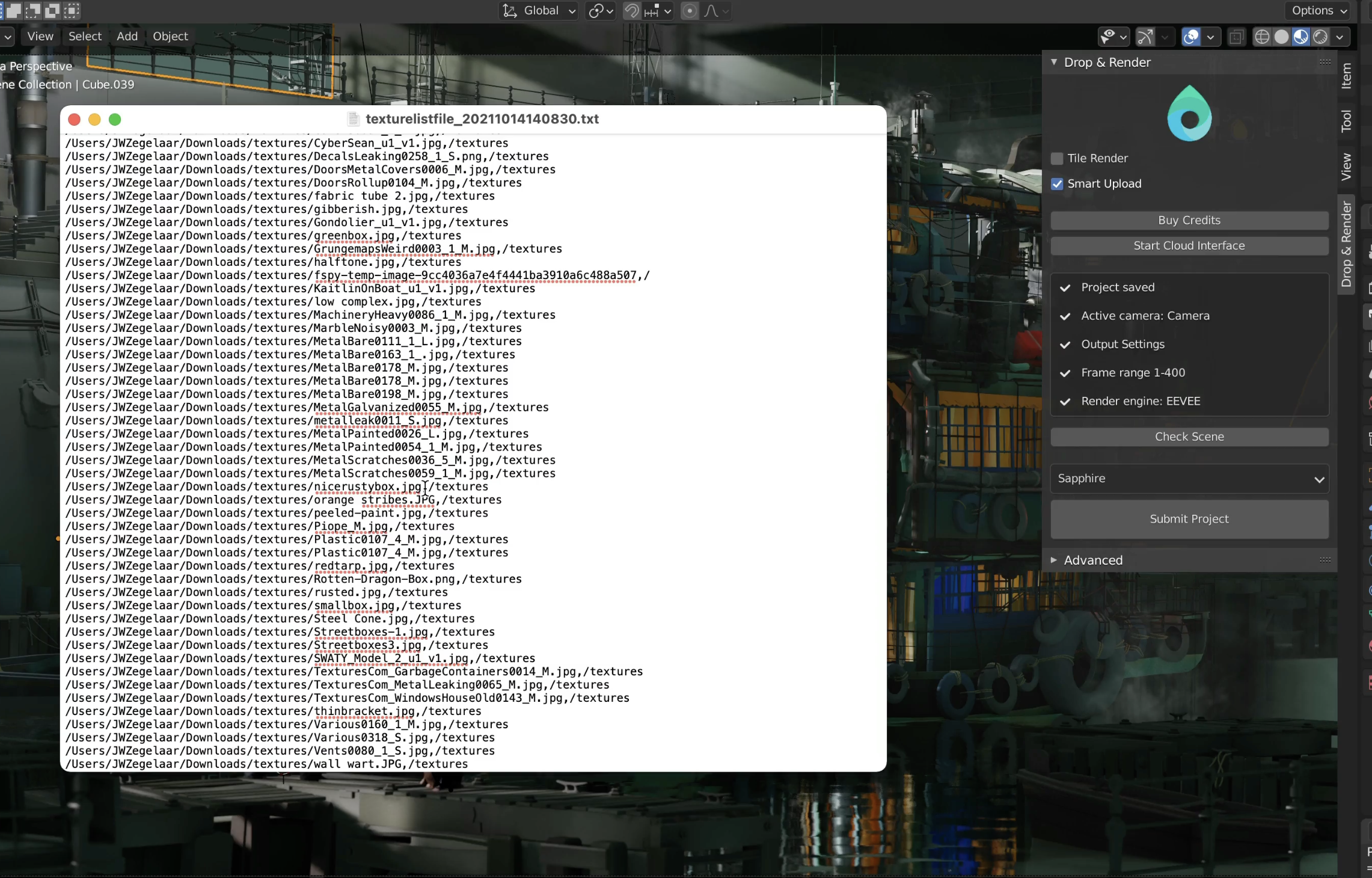
Then the remap. This is the quiet trick. Your asset paths on your machine almost certainly do not match the paths on our render nodes. Rather than rewriting your .blend or asking you to do it, we remap every path in memory at render time. Your project file is never edited. When the job is done, your file on disk is byte identical to what you submitted.
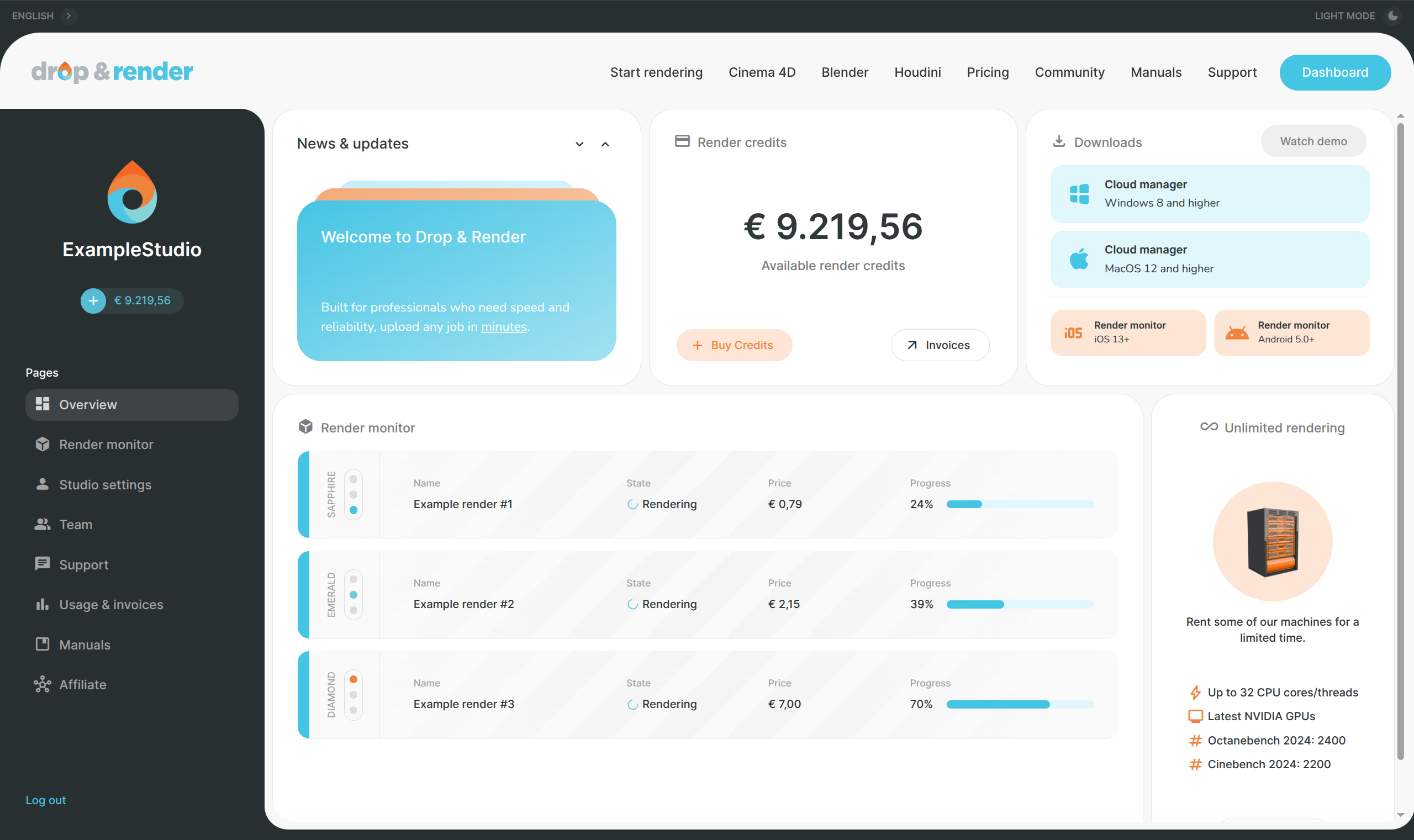
Then the return. Output frames stream back to whichever folder you pointed the add-on at, automatically, as they finish. You do not log into a dashboard to download a zip. You do not move files. They land where you wanted them to land in the first place. If you want to walk away from your desk, our mobile apps let you watch the job progress from anywhere and see thumbnails as they come in.
That is the entire round trip. From your side it is two clicks. From our side it is a fairly busy machine.
The features that compound once the friction is gone
When the workflow tax drops to near zero, behaviors change. Artists iterate more, because iterating is cheap. A few of our systems exist specifically to support that.
Smart sync: Anything you upload stays available on our side for seven days. If you submit the same scene again, or a variation that reuses assets, those assets are not re-uploaded. The second submission queues almost instantly. For lookdev or animation iteration this is the difference between testing an idea now and waiting until tomorrow.
Resubmission from the dashboard: Send a few test frames first, check them, then start the full job from the same submission with adjusted settings. You do not re-upload, you do not re-submit from Blender, you just push it from the dashboard. It is the iteration loop that finalled shots actually need.
Tile rendering for stills: For big single frames, we split the image across multiple machines, render the tiles in parallel, and stitch them back into one file on our end. You get the result. You do not get the stitching homework.
None of these are features you would build first. They are features you build once the core workflow is invisible, because suddenly the next bottleneck is the artist's patience for one more cycle.
Where speed still matters
Workflow integration does not replace fast hardware, it sits on top of it. Every job runs on current generation Nvidia GPUs. A typical job spreads across about 100 GPUs in parallel, and boosting priority pushes that up to around 300 GPUs working on a single submission at once. For animation that is the difference between an overnight render and a coffee break.
Pricing matters too, and we are honest about it. We track public rates across the major Blender render farms and keep our numbers competitive. If you want to see the current state of the market, we keep an updated comparison here: render farm pricing comparison
How we think about other farms
There are good render farms in this market. Several have been running longer than we have, and they have strong teams. When you read this kind of post you might expect a section that picks them apart. We are not going to do that, and not for diplomatic reasons. The honest answer is that most farms are optimized around the same axis: render speed at a price point. They do that well. We chose to optimize around a different axis: the workflow that wraps the render. Both are valid bets. They lead to different products.
If your bottleneck is pure cost per frame on a job you only run once, the market has plenty of options. If your bottleneck is the time and friction between deciding to render and having frames in your project folder, that is the problem we have spent our time on, and that is where we think Drop and Render is hard to match.
What this means if you render in Blender for a living
If rendering is part of how you earn, the calculation is not really about GPUs. It is about how many useful iterations you can fit into a day, and how much of your day is spent on render adjacent admin instead of on the work that pays.
Zero change workflow is our answer to that. You stay in Blender. You hit render. The pre-flight tells you it will work. The farm matches your version, brings your add-ons, maps your dependencies, renders on hundreds of GPUs, and drops frames into the folder you picked. The second time you do it, half the upload is already cached. The third time, you have stopped noticing the farm is there at all.
That is the goal. Not to be the loudest farm. Not to win a benchmark. To be the render farm that feels like rendering locally, except much faster, and without your laptop fans pretending to take off.
If you want to try it, install the add-on, open any current Blender project, and hit submit. There is nothing to prepare. That is sort of the point.