Moving a working Houdini scene to the farm means accounting for the setup around the hip file. Your lighting scene might use a production-specific Houdini build, a custom environment HDA and textures from a shared studio library. Those dependencies need to be available where the scene will render, with paths that resolve there.
Our integration collects scene assets and records the settings needed for the farm handoff. It also makes the software match and detected dependencies visible before submission, so the artist and TD can check the parts their production relies on.
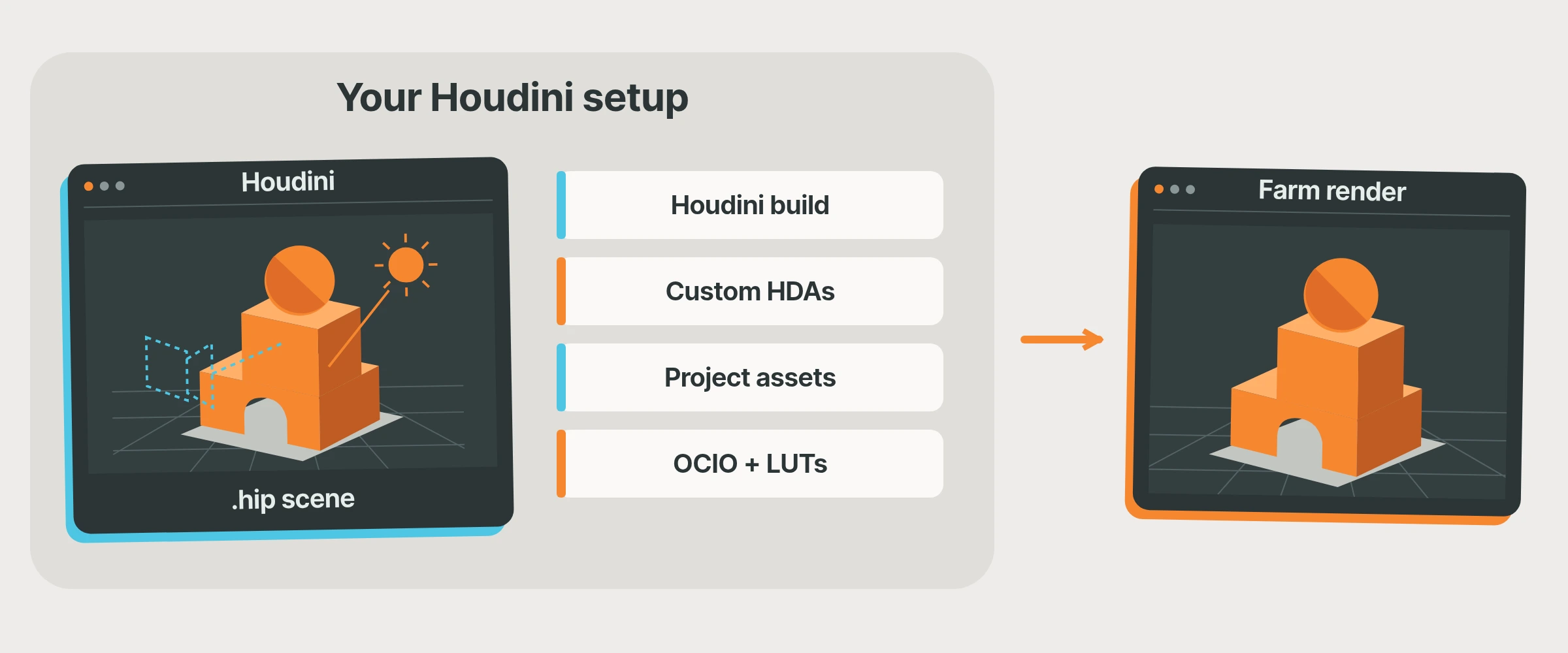 The hip file is the starting point. The surrounding files and settings make it render.
Know which Houdini build will run the job
An artist upgrades Houdini for a new tool. Another stays on the production build. Both scenes open, but that does not make their software setups identical.
Our plugin compares the local Houdini version with the farm's available profiles. It looks for an exact match first and selects an available alternative if that build is missing. The project information shows Local and Best Farm Match, so you can see the choice before submitting.
Check that selection against the build your TD approved for production, rather than treating a match as proof of compatibility. An alternative can differ in major or minor version as well as build number. If your shot depends on a particular build or renderer integration, resolve that requirement before sending the sequence and review the renderer information in Scene Check too.
 In this example, the local Houdini build matches the selected farm build.
Bring the tools your studio actually uses
An in-house HDA might build the set or prepare geometry for rendering. Our scene checks identify custom HDA files among the collected assets, and with Smart Upload those definitions can travel with the job and be loaded on the farm. Review the detected files in the panel against the tools the scene actually uses.
The files used by the HDA matter too. If a studio tool reads a lookup file, texture folder or cache through custom logic, include that supporting data in the asset list. Manual additions are available for files that need an explicit selection.
If Scene Check flags custom code for Studio Validation, we can help you prepare it for the farm. A collected HDA definition does not establish support for arbitrary compiled plugins or external services it calls. Use one representative studio tool to check the setup before relying on it across shots.
Keep the paths your scene understands
A texture path may lead to a shared studio library. A cache may sit in a shot folder. The farm needs to find those files even though they are stored somewhere else during rendering.
With Smart Upload, we collect the assets and record their locations for the job. When the farm loads the scene, our render scripts use that information to resolve its file references before rendering. You keep working with the familiar project on your workstation.
We also support mappings based on environment variables. For example, $ASSETS/props/chair/textures/wood.exr can refer to a file in your studio library. A defined mapping tells the job how to resolve selected files under that root, preserving their place in the folder structure rather than relying on the workstation's physical storage location.
Studios that already manage their own file selection can use Manual Mode with these environment roots. Have your TD define the roots and review the selected files; this mode relies on explicit file selection and environment mapping rather than Smart Upload's scene-reference remapping.
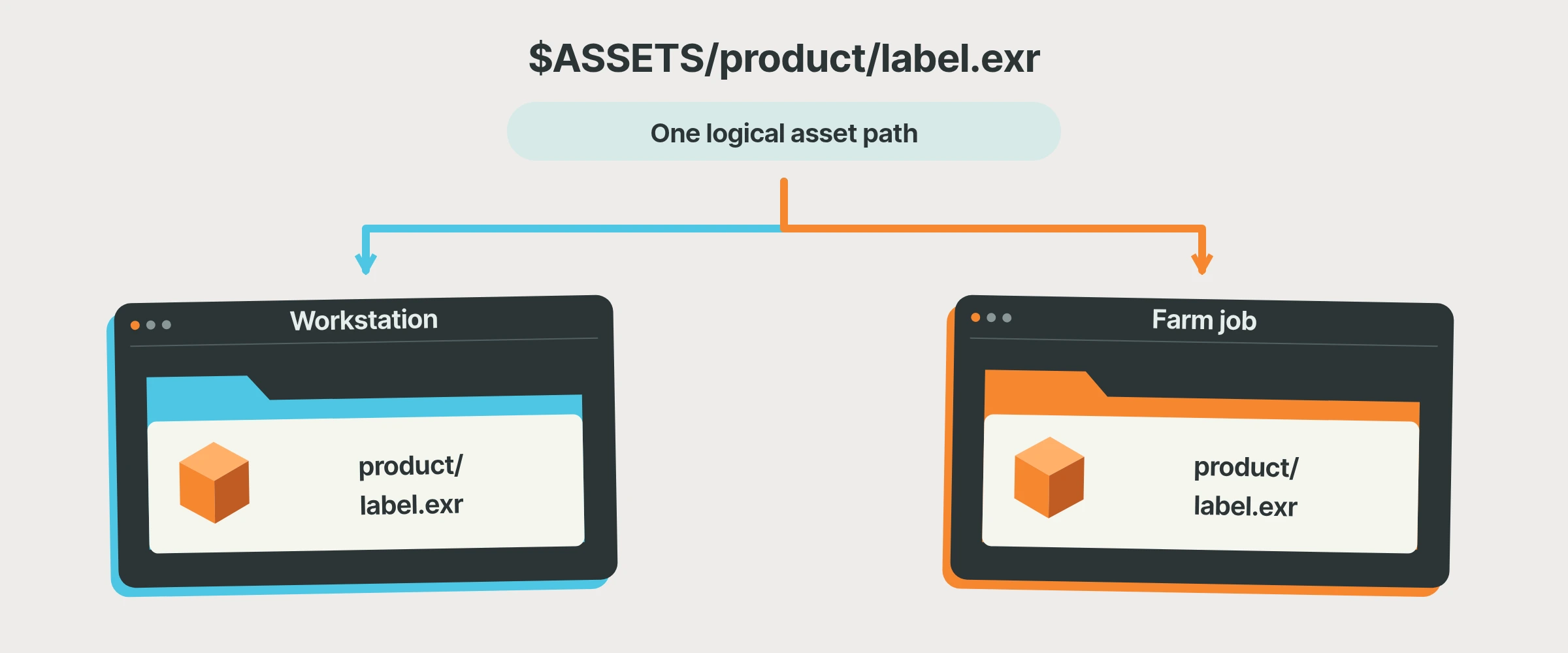 The physical location can change while the scene keeps its intended file relationships.
Carry the colour setup with the scene
Lighting and compositing need to agree on colour. We check the active OCIO configuration, and the integration can select a recognised ACES setup or collect a custom configuration for upload.
If your custom config uses external LUTs, include those supporting files as well. The configuration and its resources need to travel together, and the returned images need to be viewed through the intended setup.
Before sending a full sequence through the Houdini integration, choose a representative frame that uses your studio HDA, shared assets and production colour configuration. Have the artist run Scene Check, the TD review the software and dependency handling, and lighting or compositing inspect the result.
Our USD workflow article explains collection for layered scene dependencies. If a custom tool or path arrangement needs preparation, talk to us with that specific requirement before the larger submission.