

A cloud render farm for Flamenco 3
Keep Flamenco. Add the cloud. Send Blender jobs to Drop & Render with one job type and get the frames back in your output folder.
アーティストがBlenderから送信
Flamencoパネル、ジョブタイプはDrop & Render
あなたのFlamenco Manager
他のジョブと同じようにキューに入れます
Drop & Renderファーム
当社のマシンでフレームをレンダリング
Your output folder
フレームはレンダー出力フォルダに届きます
仕組み
Flamenco is the free render manager from the Blender Studio. Our Drop & Render job type lets your artists send Blender jobs to our farm without leaving Blender.
-
1
1. 一度オンにするだけ
On the computer running your Flamenco Manager, sign in to Drop & Render Link and install Flamenco from your Extensions dashboard. The installation guides you through setup and checks what you need.
-
2
2. いつも通り送信
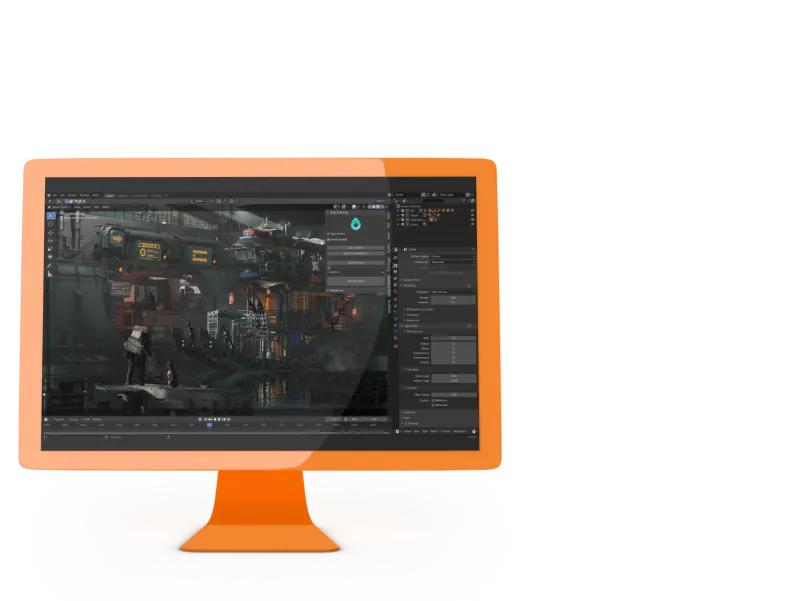
BlenderでFlamencoパネルを開き、ジョブタイプにDrop & Renderを選んでキューを選択します。Flamencoはいつも通りシーンをパッケージ化します。
-
3
3. フレームを受け取る
Choose frame delivery to receive frames as they finish, or job delivery to receive them when the render completes. With delivery disabled, the Flamenco task finishes after submission instead of waiting for the render.


すでにFlamencoを使うスタジオのために
Keep your local workers and add cloud capacity where you need it. Choose where each job renders while your artists keep submitting from Blender.
ジョブごとに選択
自社マシンにはSimple Blender Renderを使い、締め切りにもっとパワーが必要なときはDrop & Renderを選びます。どちらも同じFlamencoキューに並びます。
設定は1台のコンピュータだけ
Drop & Render Linkと当社のBlenderアドオンが必要なのは、Flamenco Managerを実行しているコンピュータだけです。FlamencoワーカーとジョブタイプはLinkがインストールします。
Flamencoで進行状況とプレビュー
With delivery enabled, Flamenco follows delivered frames and displays previews. Choose frame delivery for updates during rendering, or job delivery for output after the render completes.
キューも優先度も自由に
当社のBlenderアドオンを入れているアーティストには、FlamencoパネルにQueueのドロップダウンが表示され、アドオンと同じキューを選べます。
Keep following submitted jobs
Link tracks accepted submissions so retries can keep following the same render. If submission fails with an uncertain result, check the farm before retrying.
レンダリングした分だけお支払い
The Flamenco extension itself has no extra cost. Jobs use the credits of the Drop & Render account signed in to Link, at our normal prices.
Install from your dashboard
Open Extensions and install Flamenco. The installation guides you through connecting your local Manager to Drop & Render.
Set up in five steps
Set up the integration on your Flamenco Manager computer, then send a short image sequence to check the connection and delivery.
-
1
1. Create your free account
Register for Drop & Render. You get €25 in render credits to test with.
-
2
2. Drop & Render Linkをインストール
Download Link from Start rendering and sign in. Link installs the Drop & Render add-on into Blender for you.
-
3
3. Check the Flamenco side
Run a Flamenco 3 Manager on the same computer, started by the same user as Link, with flamenco-manager.yaml next to its executable.
-
4
4. Install Flamenco from Extensions
Open Extensions in your dashboard. Link finds the Manager, downloads a matching worker and installs the Drop & Render job type. No terminal commands or script copying needed.
-
5
5. Submit a short test range
Restart the Manager if setup asks for it. Select the Drop & Render job type in Blender and submit a short frame range with an empty output folder.
Job type settings
Choose the frames, queue and delivery mode for each cloud render in Blender's Flamenco panel.
| Setting | What it does |
|---|---|
| フレーム | Frame range taken from the scene. Examples: 47, 1-30, 3, 5-10, 47-327. |
| Render output root | Choose where to receive your frames. Each job gets a folder beneath this location, named with the job name and a timestamp. |
| Add path components | Choose how many folder names from your blend file’s location to keep in the output path. |
| キュー | Choose a priority from the queues available in your add-on. |
| Delivery | Choose frame to receive each frame as it finishes, job to receive output after the whole render, or none to download later from the dashboard. |
| スライスあたりのフレーム数 | Choose how many frames each farm machine renders, or enter 0 to let the add-on choose for you. |
| Stall hours | Set how long to wait without a newly delivered frame before failing the Flamenco task. Leave the default of 12 hours or enter 0 to wait indefinitely. With job delivery, allow more than the total render time. |
知っておきたいこと
- Image sequences only. Render to PNG, EXR or another image format and encode the video afterwards. FFmpeg and AVI output are not supported by this job type.
- Local Manager only. The Manager must run on the computer where Link is installed; a remote Manager is not supported.
- Only trusted users should submit. Anyone who can submit to your Manager can spend the signed-in account's render credits.
- Use an empty output folder for each new job.
- After an uncertain submission error, check the farm before retrying so you do not submit the same render twice.
- For multi-pass renders, check that every pass has arrived before using the output; seeing a delivered frame in Flamenco does not confirm that all its passes are ready.
More ways to connect your pipeline
Use the API for your own submission tools, or follow Drop & Render jobs alongside your local queue in Deadline Monitor.
Render farm API
Submit, monitor and control Blender, Cinema 4D and Houdini renders from your own scripts and tools.
Deadline 10
Follow and control your Drop & Render cloud jobs in Deadline Monitor, next to your local renders.
関連するFAQ
FlamencoのジョブをDrop & Renderに送信する際のよくある質問です。
Can I use Flamenco with a cloud render farm?
Which Flamenco version is supported?
Do I need shared storage or cloud machines for Flamenco?
Can I keep using my local Flamenco workers?
How do I install the Flamenco integration?
Can Flamenco send video files to the farm?
When do the frames arrive?
Does uninstalling the integration cancel my renders?
How much does it cost?


サポートされているソフトウェア
Pipeline
会社の詳細
€25 クレジットを提供して開始します!
確認