Once your scene is ready, you should be able to send it to the farm without rebuilding your workflow.
Meet the new Drop & Render Link, our lightweight render farm software for Cinema 4D, Blender and Houdini. It connects your workstation to the farm, so you can submit directly from your 3D application, keep your render settings and receive finished frames automatically.
Link handles file transfers and plugin updates while you follow your renders in the web dashboard, keeping submission close to the workflow you already use for local rendering.
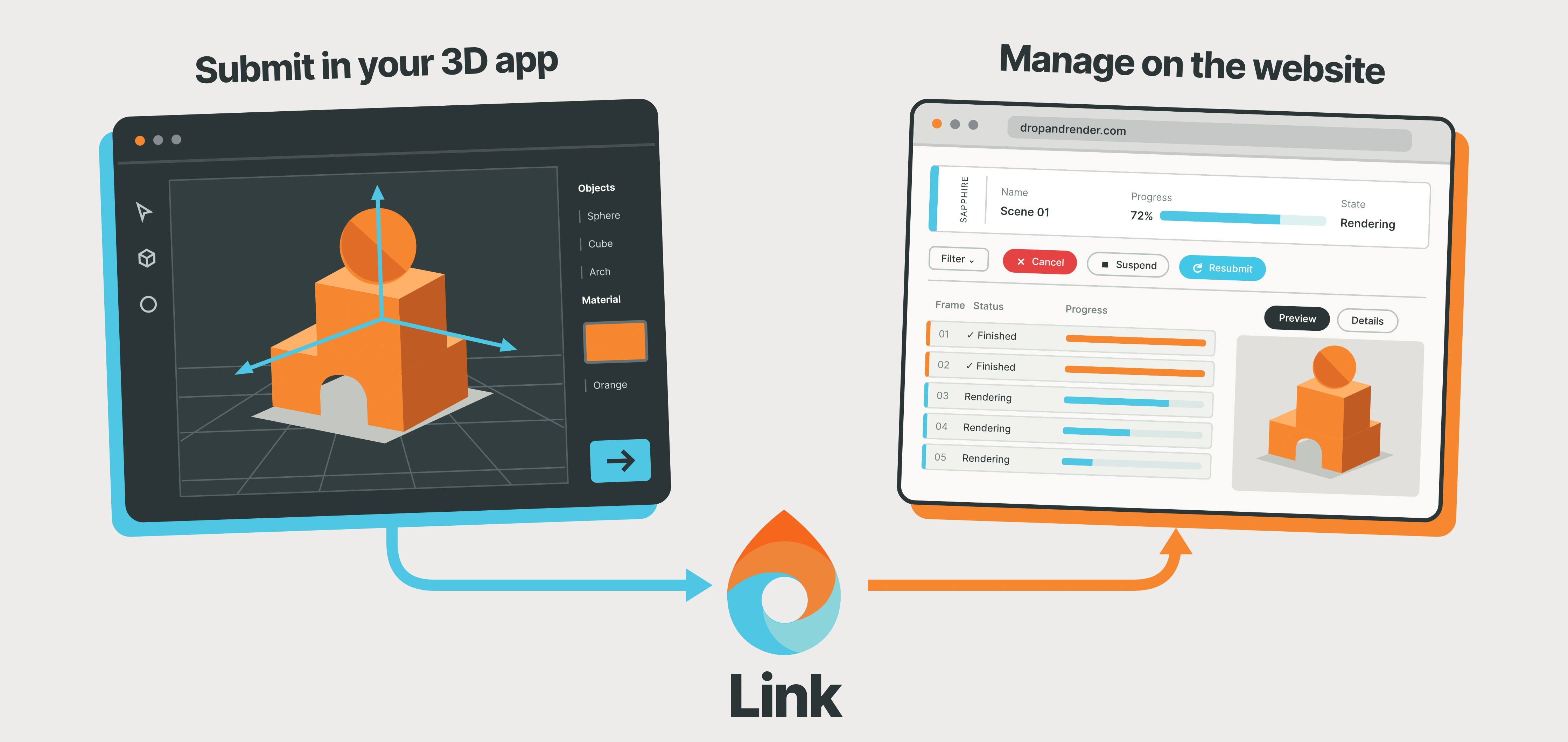
Your scene, your settings, your output folder. Link handles the connection to the farm.
What is Drop & Render Link?
Drop & Render Link is a small background application that connects Cinema 4D, Blender and Houdini to the Drop & Render cloud render farm. Our plugin inside your 3D application reads the project and its settings. Link handles the file transfers and automatic delivery of your renders.
It lives in your system tray or menu bar while you work. Submit from your scene, follow the render in your browser, and find the finished frames in the output folder you already chose.
What's new in Link?
The new Link makes the journey from your workstation to the farm smoother:
- Uploads and downloads up to five times faster, powered by our Render Transfer Protocol, or RTP.
- Automatic updates for Link and the Drop & Render plugins in your supported 3D applications.
- Better web monitoring, with render progress, previews, costs and logs in your browser.
These improvements build on the features that make Drop & Render useful every day: direct submission, automatic version matching, smart file sync and automatic downloads.
Submit from your 3D app with our zero-change workflow
Keep the scene you have already built. With our zero-change workflow, you do not need to change your render settings, reorganize the project or manually remap asset paths to submit it to the farm.
The Drop & Render plugin checks your project and gathers the files it needs. Run the checks and submit from inside Cinema 4D, Blender or Houdini, without leaving the application to package and upload the scene yourself.
That matters when you are making last-minute changes. Adjust your lighting, update a material or revise an animation, then submit again through the same workflow. You can concentrate on the image while Link handles the transfer.
Explore the workflow for Cinema 4D, Blender or Houdini.
RTP: uploads and downloads up to five times faster
A powerful render farm needs a fast connection to your files. Large textures and simulation caches need to reach the farm, and finished image sequences need to reach you.
RTP stands for Render Transfer Protocol, Drop & Render's file transfer technology. With the new system, uploads and downloads are now up to five times faster.
RTP selects a transfer route based on your connection. If you have a fast connection close to the farm, a direct connection can be the best option. When an accelerated cloud route offers better performance, RTP can use Amazon CloudFront to help move your files efficiently.
The route is selected automatically, so you can focus on your project. Actual transfer speeds depend on your internet connection, location, file sizes and network conditions.
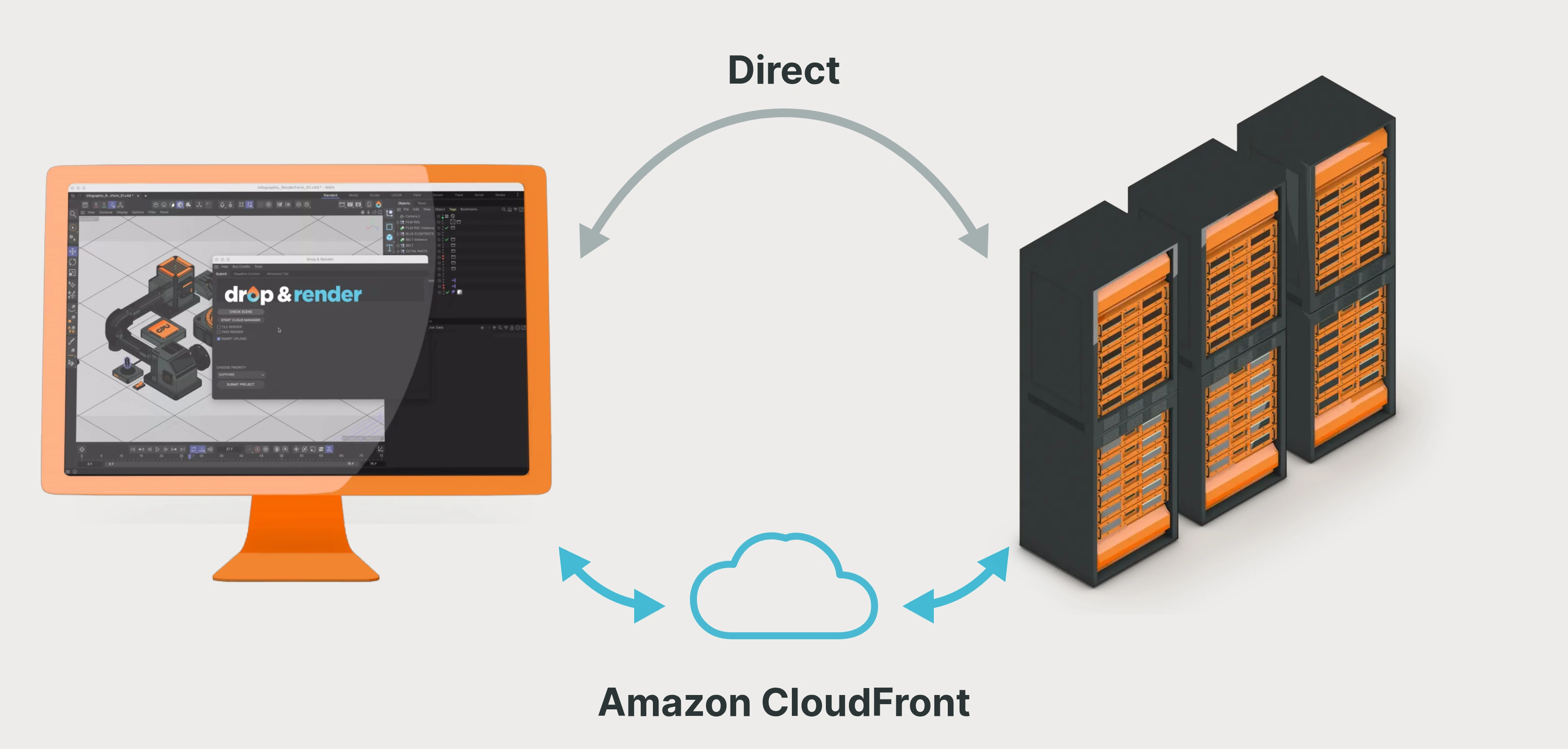
RTP chooses a route for your connection, helping both project uploads and render downloads move faster.
Smart sync: upload only what has changed
Most project revisions do not change every file. A new camera angle might use exactly the same textures and caches as the previous render.
Link's sync system reuses files already available on the farm and uploads new or changed files. When those large assets are already there, they can be reused for the next submission.
The same workflow takes care of delivery. Completed frames download automatically to the output folder selected in your 3D application, ready for your next step in compositing or editing.
Keep Link running on your connected workstation for automatic downloads. If you close it, delivery resumes when you reopen it.
Keep your integrations updated and match render versions
Link detects supported installations of your 3D software and keeps the Drop & Render plugins up to date. You spend less time downloading installers and managing the connection to the farm.
For the render itself, Drop & Render detects the application's configuration and matches the supported application, render engine and plugin versions your project needs. You keep working with your chosen setup, and the farm uses the corresponding versions.
Together, automatic connector updates and version matching help make submitting a scene a routine part of your workflow.
Follow every render from your browser
The web dashboard gives you a clear view of your jobs, wherever you are working. Check progress, inspect previews, track costs and open render logs from one place.
You can also manage jobs from the dashboard, including suspending, resuming or resubmitting a render. This makes it easier to check how a project is progressing while you work on something else.
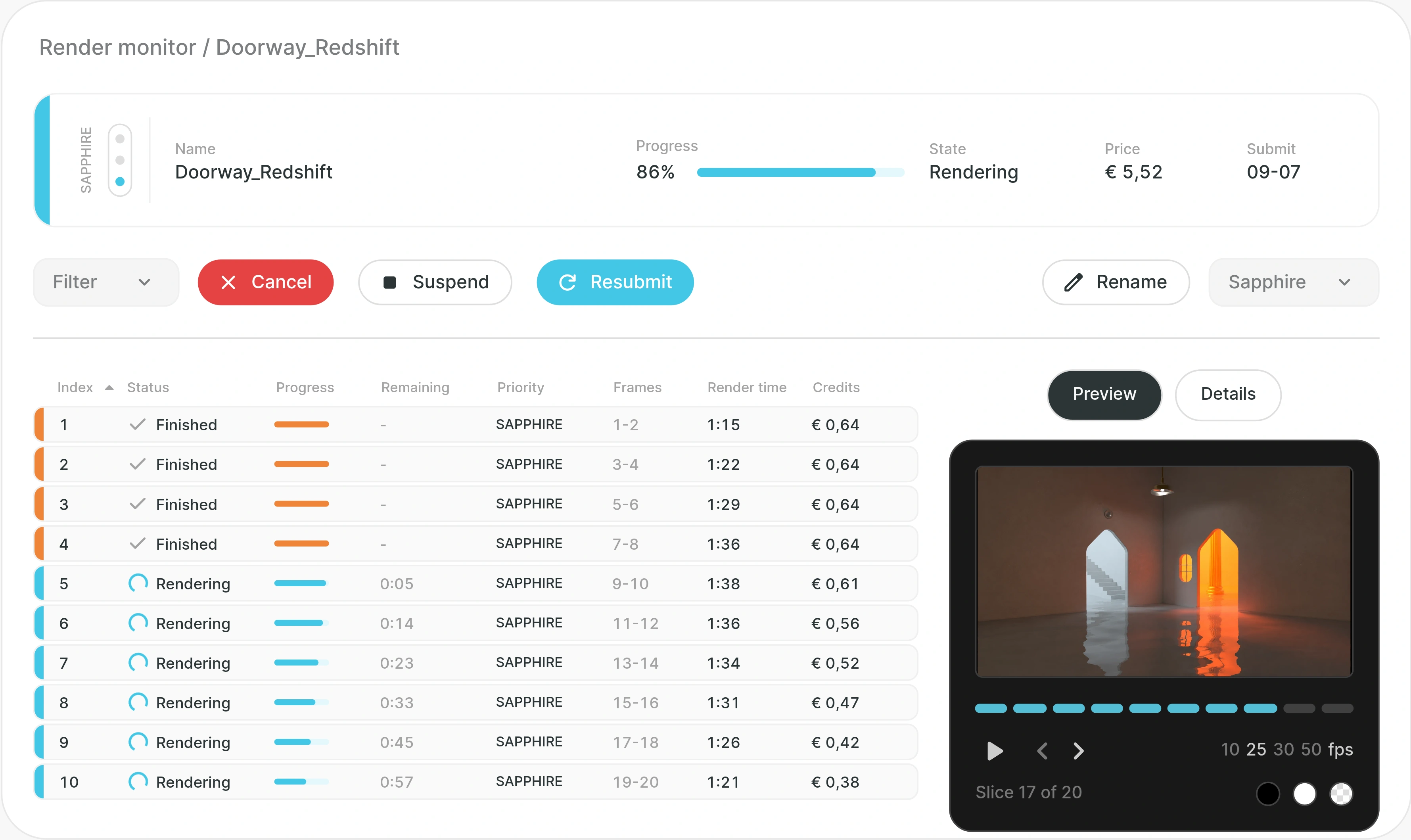
The web monitor shown in the public workflow demo. Follow progress and inspect your render from the browser.
How to start rendering with Link
- Create your Drop & Render account and install Link.
- Close your 3D applications, then choose them during setup to install the Drop & Render plugins.
- Open your project, run the plugin's checks and submit from your application.
- Follow the render online while Link downloads finished frames to your selected output folder.
Link is available for Windows, macOS and Linux. Visit the start rendering guide for downloads and a walkthrough of your application.
Frequently asked questions
Do I need to change my render settings to use Link?
The zero-change workflow reads your existing scene and render settings, so you do not need to change them just to submit. Run the project checks before submission to identify anything that needs attention.
Does my computer need to stay on while the farm renders?
Once the upload is complete, rendering continues on the farm even if you close your 3D application or turn off your computer. Your workstation needs to be online with Link running to receive automatic downloads.
Does Link update all my third-party plugins?
Link keeps the Drop & Render integration plugins up to date. For rendering, the farm matches the supported software and plugin versions required by your project.
Where do my finished frames go?
Link delivers them to the output folder selected in your 3D application. You can also download output through the web dashboard. The Link manual explains both options.