How Drop & Render Solved Houdini Cloud Rendering
Houdini is one of the most flexible 3D tools in production. That flexibility is exactly what makes it hard to render in the cloud. Every studio runs a different pipeline. Every artist has a different project structure. Custom HDAs, in-house asset managers, USD stages, PDG graphs, multi-renderer scenes; there is no standard Houdini project to design a farm around.
Drop & Render is built on a single principle: the farm adapts to the artist, not the other way around. No repathing. No repackaging. No farm-specific version of your hip file. You submit the same scene you would render locally, and it renders.
This is how we made that work.

The zero-change workflow
After almost two years of development in close collaboration with SideFX and senior Houdini artists, including Tim van Helsdingen, we shipped a render workflow defined by one rule: artists should not need to change their project to render it on the farm.
That rule shaped every system underneath it:
- No asset or dependency remapping in your scene file
- Full native support for USD and Solaris
- Support for custom HDAs, including studio in-house libraries
- A pre-flight scene check that catches issues before upload
- A plugin that lives inside Houdini, not a separate launcher
- Frames delivered directly to your workstation, to any path you choose
- Support for Karma, Mantra, Redshift, Octane, Husk, and file cache workflows
The result is a render farm that feels close to rendering locally; only faster.
How Drop & Render handles Houdini assets
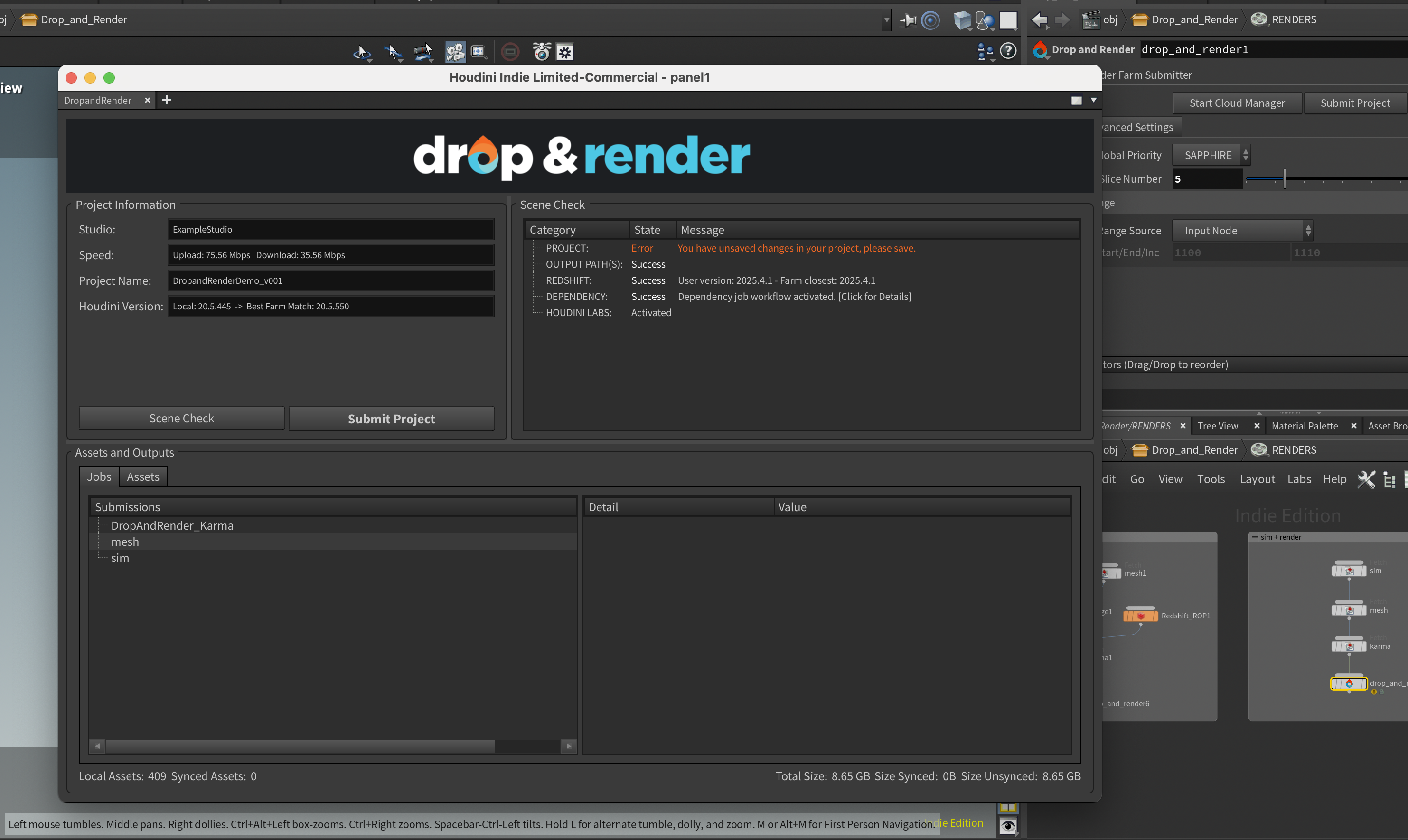
When you press Check Scene in the Drop & Render plugin, we walk through your project and collect every dependency it touches: textures, geometry caches, VDBs, Alembics, HDR maps, references, and anything else the scene needs.
That list is compared against the farm using a smart sync system. Files we already have, and that have not changed, are skipped. You see exactly what will be transferred before anything moves.
The key detail is what we do not do: we never rewrite your scene file. Your paths stay exactly as they are on your workstation. The farm stores where each file lives on your machine, and right before the job runs, those paths are remapped in memory on the render node. The scene executes as if it were running on your computer.
That means no broken references when frames return, no farm copy of your project drifting out of sync, and no risk of accidentally working in a remapped version.

USD and Solaris, handled natively
USD compounds every problem a render farm has to solve. A single .usd file can reference dozens of layers, payloads, and sublayers, each of which can pull in more. Naive packagers miss half of them and the stage fails to resolve on the farm.
Drop & Render scans the full USD stage to understand its structure, then ships every dependency it needs. The same in-memory remapping logic applies, so your stage resolves correctly on the farm without flattening, repathing, or manual intervention.
For a deeper technical breakdown, read How Drop & Render Handles USD and Asset Synchronization at Scale.
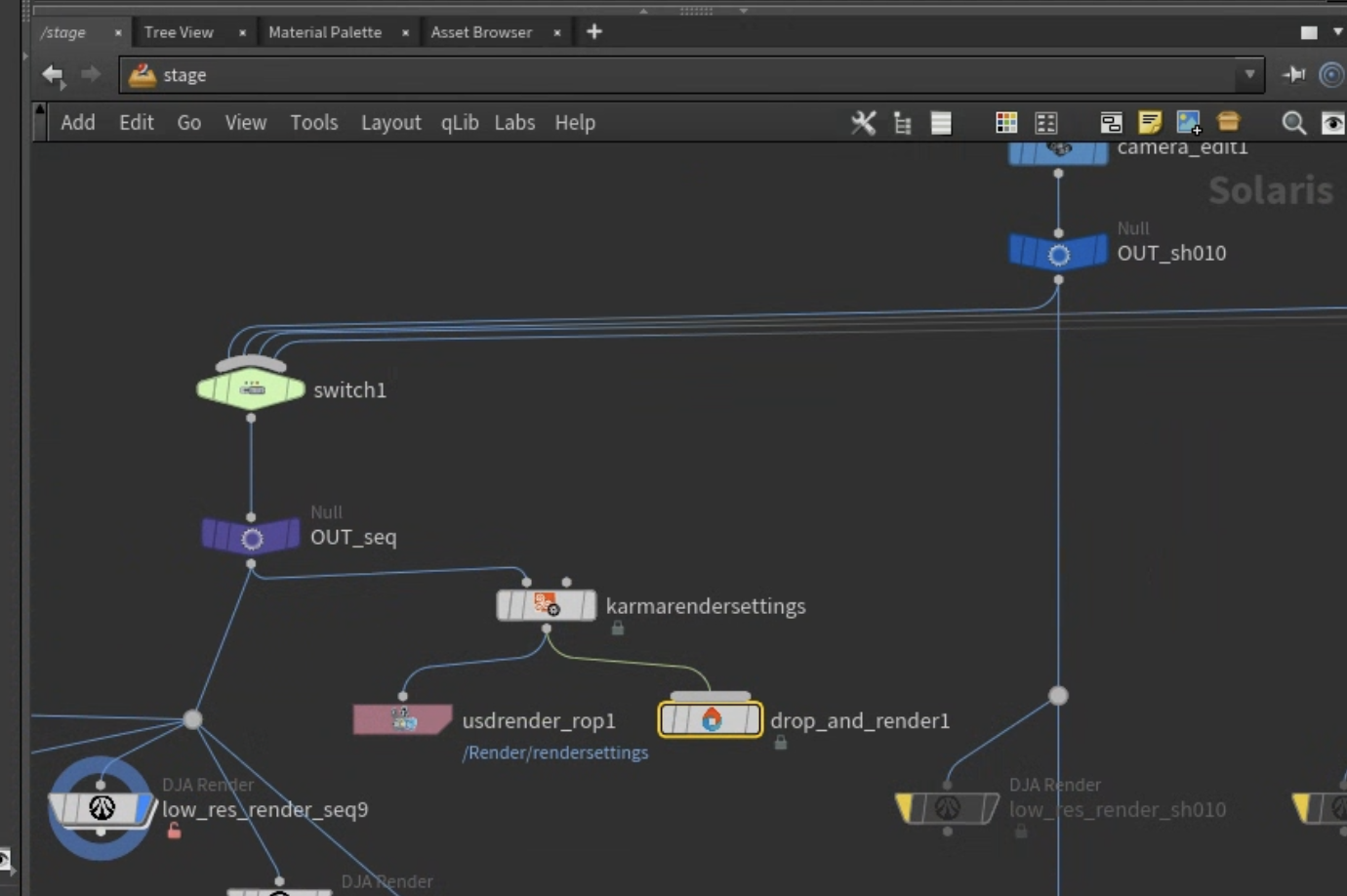
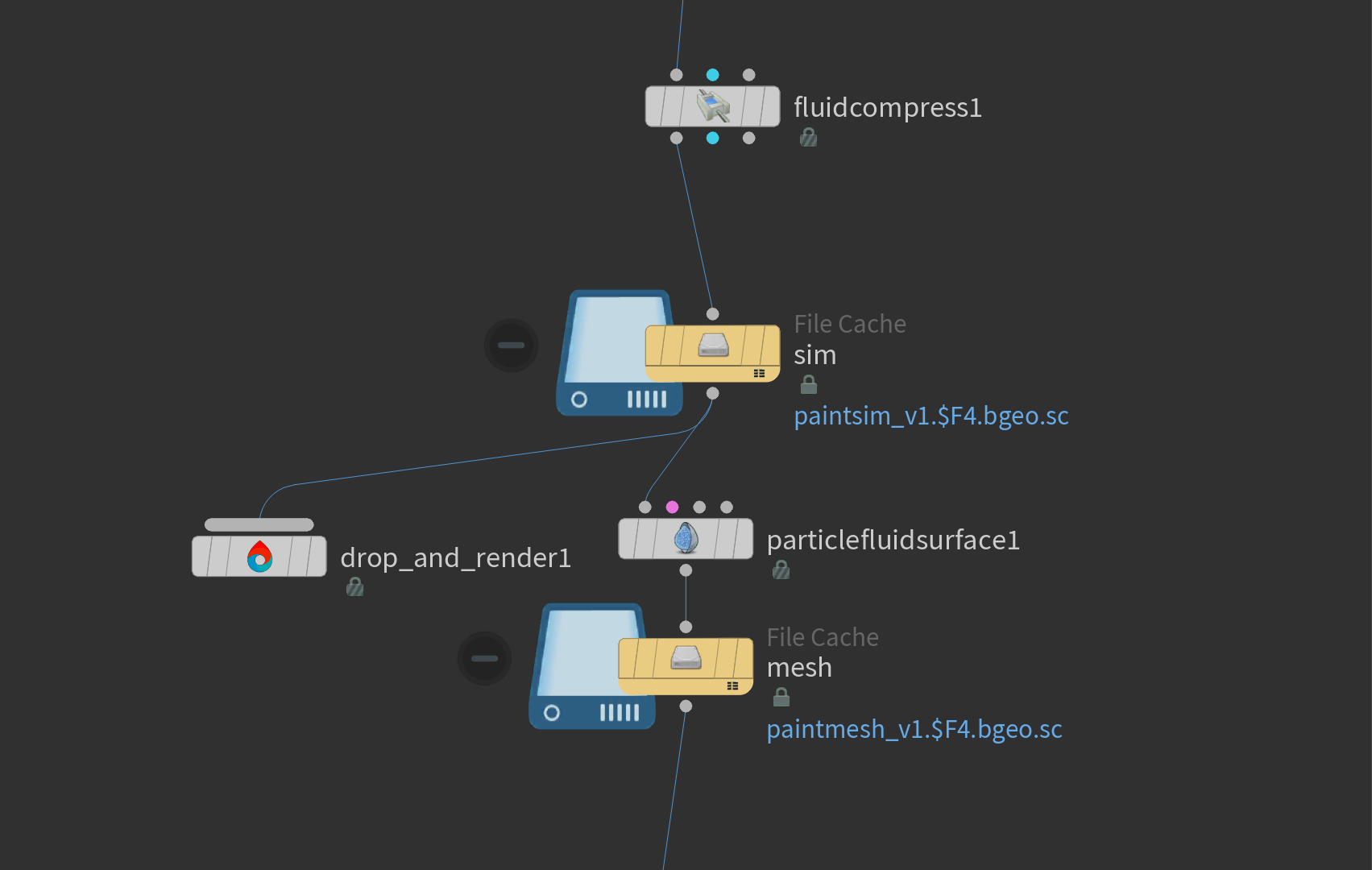
For Karma USD rendering, we built DAR_USD_ROP, a custom ROP that submits directly to Husk on our farm. Husk renders significantly faster than going through the Houdini UI process, and our ROP turns that into a single-click submit.
For more on that workflow, read 3 Ways to Render USD on a Render Farm with Houdini.
Custom HDAs are handled automatically
Custom HDAs are non-negotiable for studios. If your pipeline depends on in-house digital assets, the farm has to ship them with the job, and any internal paths inside those HDAs have to resolve on the render node.
Drop & Render detects every HDA your scene uses, including assets loaded from non-standard locations, and uploads them with the job. Internal paths that need to be relinked on the farm side are handled automatically.
You do not consolidate your OTL library. You do not flatten your assets. You submit.
File caches, sims, and geometry exports
Drop & Render is not just a final-frame renderer. The same workflow runs:
- File Cache nodes
- Alembic exports
- VDB caches
- USD layer writes
- Other ROP-based simulation or export jobs
This is how a lot of studios use us first; offloading heavy sims and caches to free up the workstation for the artist to keep working.
For a deeper technical breakdown, read How Drop & Render Handles Massive File Caches on a Cloud Render Farm.
PDG: distributed TOP graphs in the cloud
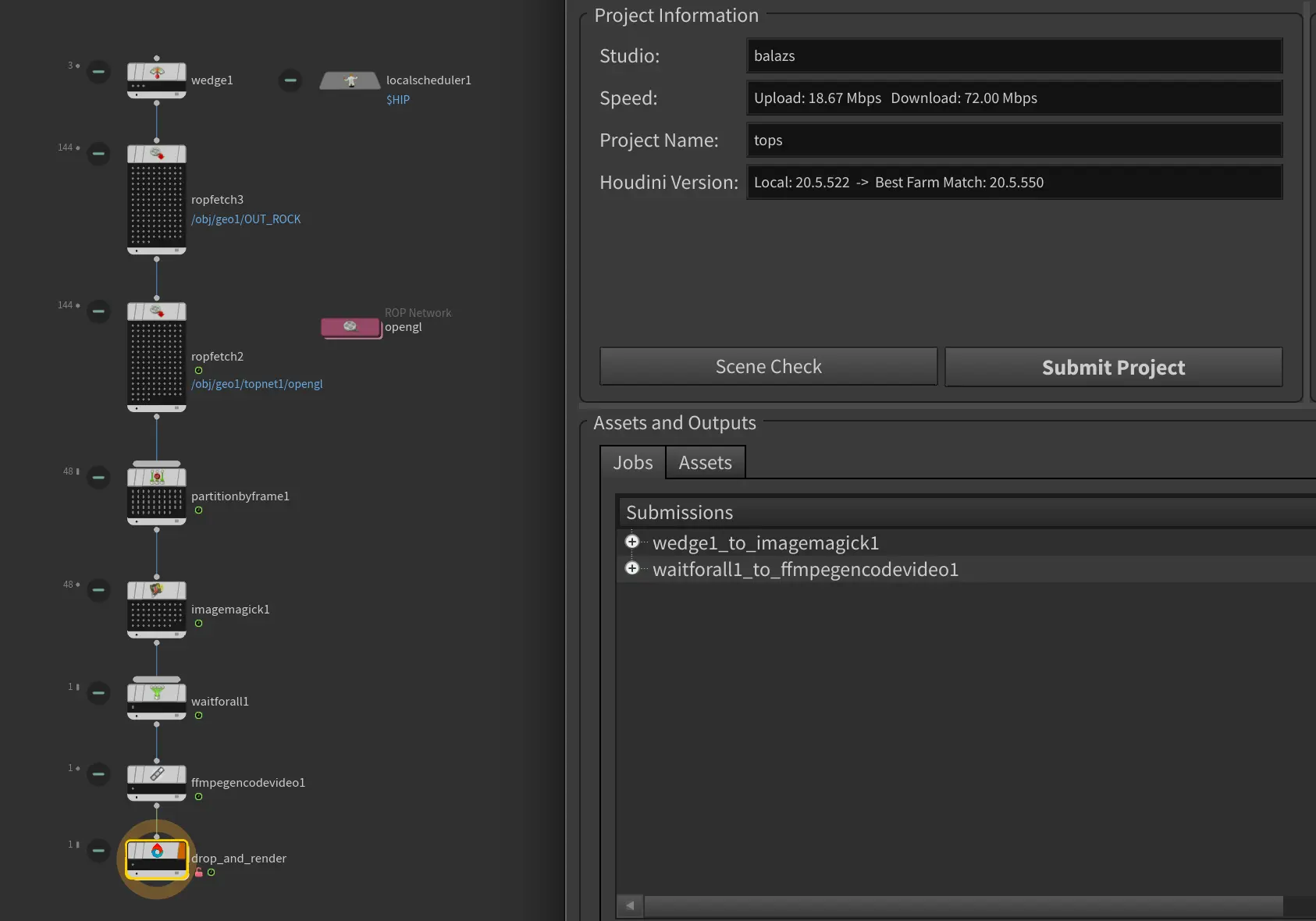
PDG is where Houdini stops being a 3D application and starts being a procedural pipeline engine. Wedging parameters, batch-processing geometry, running graphs of dependent tasks across hundreds of work items; PDG was built for distribution, and Drop & Render runs it natively.
Submit a TOP network and the farm distributes the work items across render nodes in parallel. Dependencies between nodes are respected. Outputs come back to your workstation, just like any other job.
For studios already running PDG locally, this is a direct scale-up: the same graph, the same logic, executed in the cloud.
For a deeper technical breakdown, read Scaling Houdini Simulations with PDG on the Cloud.
Dependent jobs and multi-submit
Real Houdini pipelines are not single-job pipelines. You cache first, then render. You wedge a sim across parameters, then composite. You render a depth pass before the beauty.
Drop & Render lets you queue multiple dependent jobs at once. Submit a file cache job, then a render job that waits for it, then a comp pass that waits for that. The farm orchestrates the order. No babysitting, no waiting at the keyboard for step one to finish before submitting step two.
For overnight pipelines, this turns a five-step submit into a single action.
Every renderer, out of the box
Drop & Render supports the major Houdini render and output workflows:
- Karma CPU and XPU
- Mantra
- Redshift
- Octane
- Husk via DAR_USD_ROP
- File Cache, Alembic, VDB, and USD writes
You do not choose a farm version of your renderer. You submit the same scene with the same renderer you already use.
Built for freelancers and studios
For freelancers, this means hitting a deadline without rebuilding a project to fit someone else's pipeline. Submit, get frames back on your workstation, keep working.
For studios, this means in-house pipelines stay intact: custom HDAs, asset managers, USD stages, PDG graphs, wedging logic, and dependent job chains. There is no farm-specific maintenance burden. No TD time spent maintaining a parallel pipeline. The farm runs your work the way you already run your work.
This is the standard we built Drop & Render to set: a Houdini render farm that does not ask you to change anything.
Frequently asked questions
Do I need to change my project to render it on Drop & Render?
No. The plugin runs the same hip file you would render locally. There is no repathing, no repackaging, and no farm-specific version of your project. Paths are remapped in memory on the render node at runtime.
Does Drop & Render support USD and Solaris?
Yes. The full USD stage is scanned, every layer and payload dependency is uploaded, and the stage resolves correctly on the farm. Karma USD rendering can also be submitted directly to Husk via our DAR_USD_ROP for faster renders.
Will my custom HDAs work on the farm?
Yes. Every HDA your scene uses is detected and uploaded, including assets from non-standard locations. Any internal HDA paths that need to be relinked on the farm side are handled automatically.
Which renderers are supported?
Karma CPU and XPU, Mantra, Redshift, Octane, and Husk are supported. File Caches, Alembic exports, VDB caches, and USD writes are also supported.
Can I run PDG graphs on Drop & Render?
Yes. TOP networks are distributed across render nodes in parallel with dependencies respected. The same graph you run locally scales up to the cloud without modification.
Can I submit multiple dependent jobs at once?
Yes. You can chain jobs together, for example a file cache job followed by a render job followed by a comp pass, and the farm orchestrates the execution order. You submit once, and the pipeline runs end to end.
Where do my rendered frames go?
Directly to your workstation, to the path you specify. There is no separate download step. Frames appear in the output folder as if they were rendered locally.
How does Drop & Render handle large project uploads?
A smart sync system compares your project against what is already on the farm. Files we already have, unchanged, are skipped. You see exactly what will be uploaded before anything is transferred.
Is Drop & Render suitable for studios with in-house pipelines?
Yes. The zero-change workflow is designed so that studio pipelines keep working without modification: custom HDAs, asset managers, USD stages, wedging logic, PDG graphs, and dependent jobs. No farm-specific maintenance is required.
How do I get started?
Install the Drop & Render plugin inside Houdini, hit Check Scene, and submit. You can start from the Houdini render farm page.