Your studio already has a workflow in Deadline. Artists submit their work, the queue fills up, and Monitor is where you keep an eye on everything. We've connected Drop & Render to that workflow, so your cloud renders can feel just as familiar as your local ones.
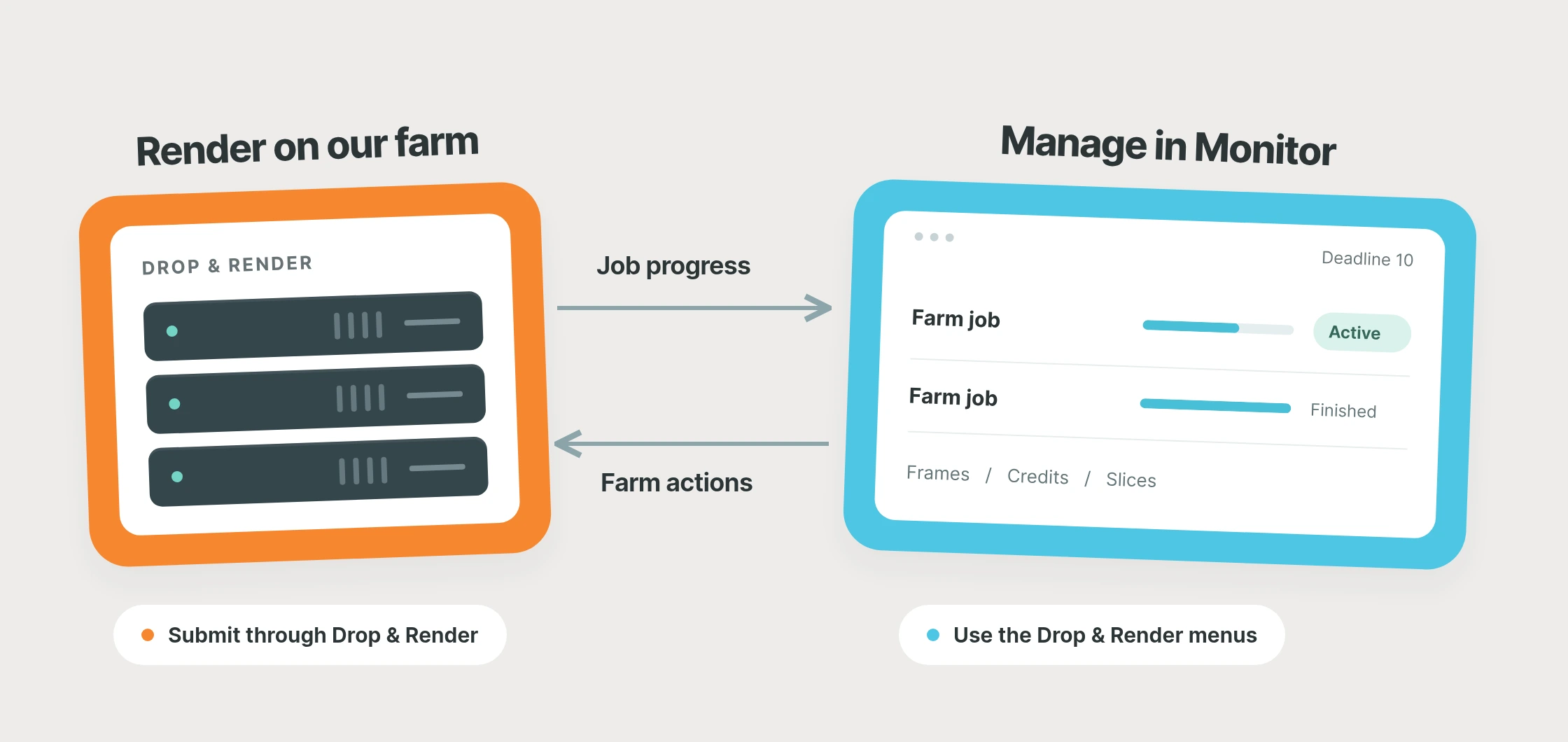
Our Deadline 10 integration brings your Drop & Render jobs into Monitor, with frame progress, render costs and controls for managing the work on our farm. Submit through our Cinema 4D, Blender or Houdini plugins, or automate submissions with the render farm API. Those jobs appear alongside the rest of your studio's rendering.
More rendering power for your existing workflow
When a client adds another sequence or several projects need final frames at once, your local queue can become the thing holding up delivery. A cloud render farm gives those projects somewhere else to render while your own machines keep working through the everyday jobs.
With our Deadline render farm integration, you can add that capacity and keep Monitor as your overview. Drop & Render handles the cloud rendering; your team follows the work in the application they already use. It's a practical fit for studios that want more capacity for busy periods while keeping their established pipeline.
Your farm jobs, right there in Monitor
Open Monitor and you'll see your Drop & Render jobs with their farm state, frame progress and credits. Link refreshes the information every 30 seconds while you're signed in, keeping the overview current as your renders move through the farm.
When you need to make a change, the Drop & Render menus let you suspend, resume, cancel or re-render a job. You can also inspect individual slices, the groups of frames rendered together, and retry just the parts you need. Frame ranges, render times, nodes and credits are available at slice level, so you can look closer when a particular section needs attention.
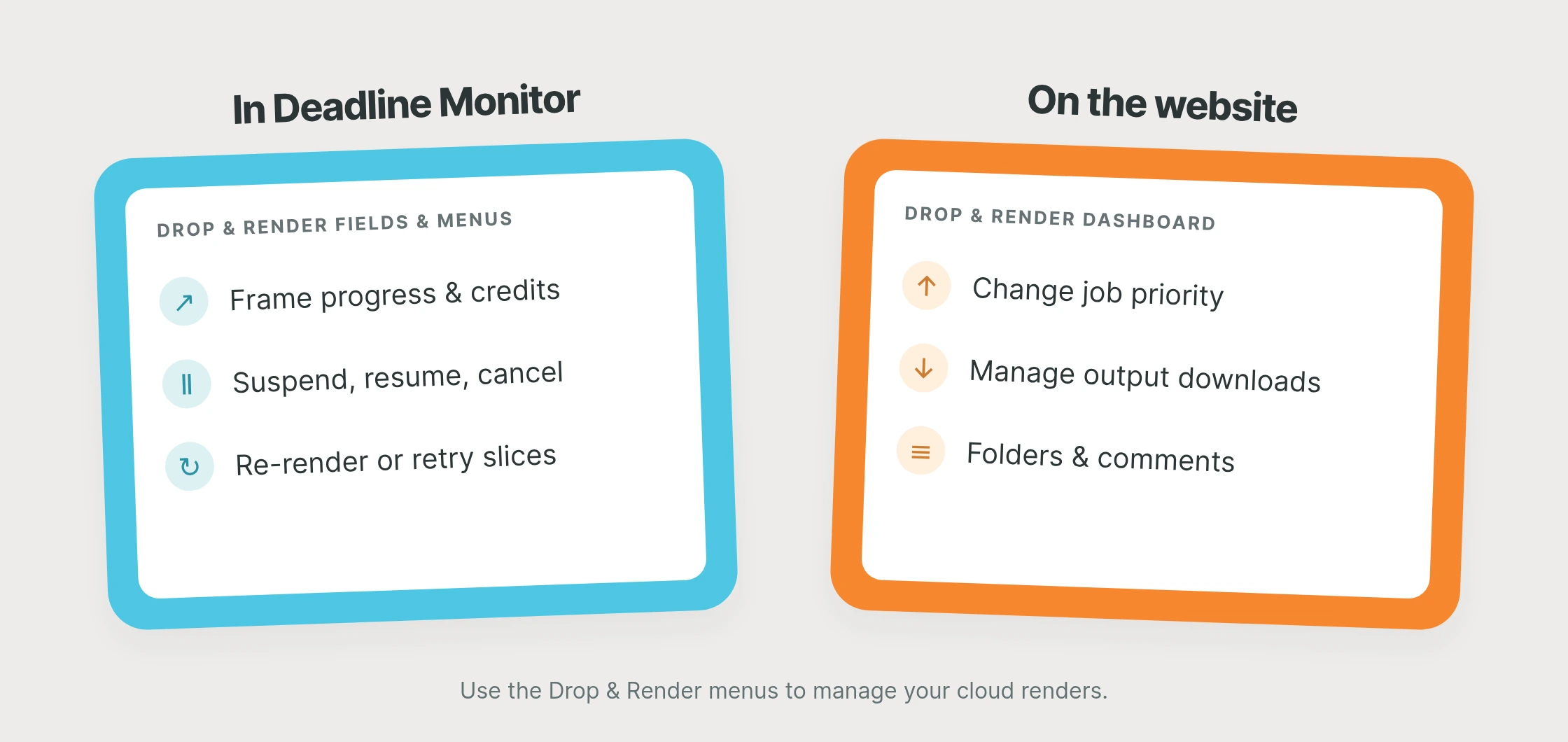
Your Drop & Render dashboard stays available for changing priority, managing downloads and organizing jobs with folders and comments. Together, the two give you a familiar production overview and the farm-specific controls when you need them.
Connect once, then keep working
With Deadline 10 connected to a Direct repository, sign in to Drop & Render Link and install Deadline from Extensions. Link finds the repository and adds the Drop & Render menus. Keep Link signed in, submit a job through your usual Drop & Render workflow, and open Scripts > Drop & Render in Monitor to see it.
This integration supports Deadline 10 with a Direct repository; AWS Deadline Cloud and Remote Connection Server connections are not supported. It follows jobs submitted to Drop & Render rather than sending native Deadline jobs to the farm.
Like our other extensions, the Deadline integration is completely optional and has no additional fee. You can install or uninstall it without affecting Drop & Render's normal functions or cancelling your farm renders.
A few things worth knowing
How do I submit a project to the farm?
Use our Cinema 4D, Blender or Houdini integration to prepare and submit the scene. You can also submit from scripts through the render farm API. The resulting Drop & Render jobs appear in Deadline Monitor for tracking and control.
Can I keep using my local Deadline workers?
Your local jobs keep rendering on your own workers, while Drop & Render jobs run on our farm. Monitor brings both into your production overview.
How much does cloud rendering cost?
Your jobs use Drop & Render credits at our normal render farm prices. Start with a short test range to check the output and cost for your scene; Monitor shows the credits used by your farm jobs.
Try it with your next project
New accounts include €25 in free render credits. Send a few frames to the farm, follow them in Deadline and see how the workflow fits your studio. The Deadline integration page has the full setup details.