After the first render of a product shot, the client might ask for a lower camera angle and send a replacement label texture. Another artist may already be lighting the next shot with the same model and materials. Those revisions change the work you submit, but they often leave most of the underlying files untouched.
Our smart sync system checks which file contents are already available on the farm and reuses the matches. The next submission uploads files the farm still needs, rather than treating each camera angle as a reason to transfer the whole asset library again. How much can be reused depends on which files your pipeline changes.
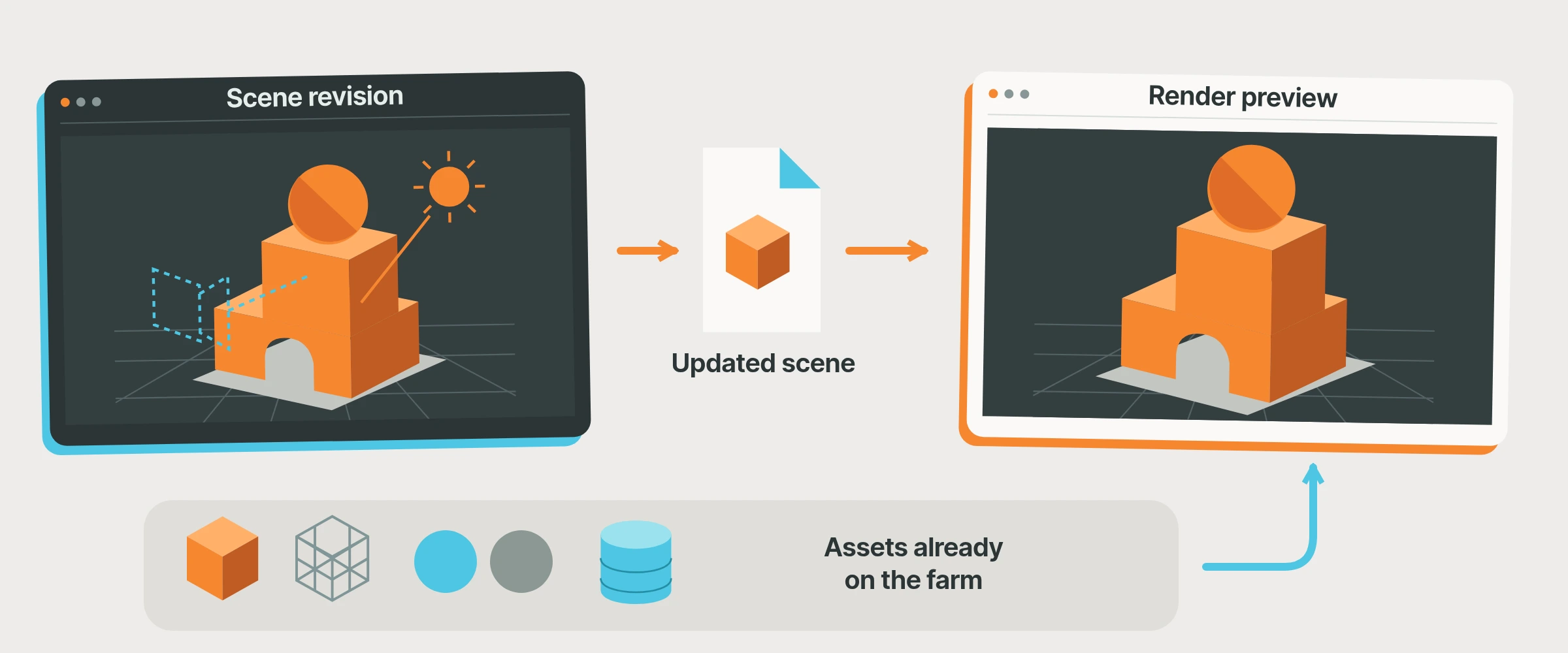 Camera and lighting revisions can use the same assets as the previous render.
A new shot does not mean a new asset library
Imagine two lighting artists working on a product campaign. One is setting up a wide shot. The other is working on a close-up. Both use the same product geometry, textures and environment.
After those shared files have reached the farm, later submissions can use the matching copies already there. Each artist still sends the scene information for their own shot, but unchanged assets can carry forward.
The same applies to revisions within one scene:
- Move the camera, and the geometry can stay as it is.
- Change a light, and the existing texture files can still be used.
- Replace one label texture, and the other textures remain reusable.
- Publish a new simulation, and the assets outside that simulation can stay unchanged.
The result depends on the files your scene produces. If an export rewrites one large combined file, that file may need uploading again. Separate shot layers and shared assets give the sync system more opportunities to reuse existing work.
We compare the contents
An artist can overwrite product_label.exr without changing its name, while another artist may have an identical file in a different project folder. We use a content fingerprint, called a hash, to identify the file contents. The submission system asks the farm whether that content is available, then builds the upload list from what is still needed.
This happens at file level, not as a transfer of only the edited pixels or changed bytes. A changed texture may need to be uploaded again while other textures are skipped. You keep working with familiar files and folders; the sync system handles the comparison.
The Houdini asset panel separates the total assets, what is synced and what remains to upload. Use those figures to judge the transfer for a revision rather than the size of the whole project. The screenshot below shows the selection and status controls before these demo assets have been uploaded.
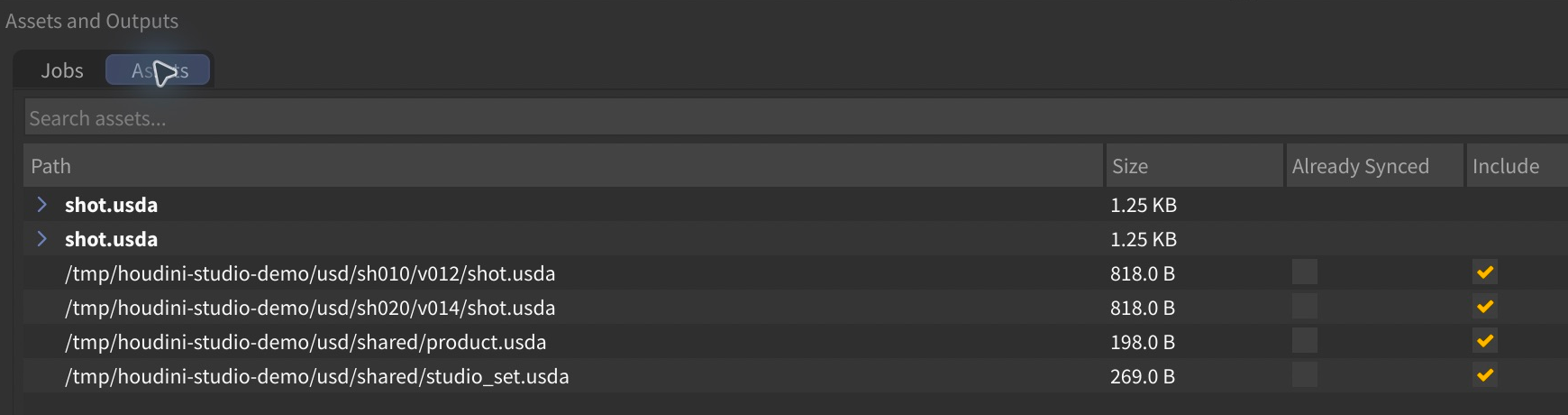 The Assets view shows file selection and sync status. These fresh demo assets have not been uploaded.
Let the whole team benefit
With the team workflow, available matching assets can be reused across the studio's submissions. An FX artist can publish a cache for several lighting shots, and a second lighter can prepare a new camera using the same approved geometry and textures without those unchanged files requiring another upload.
Your team still decides which version belongs in each shot. A clear handoff such as smoke_v004, with its location and frame range, identifies the intended data. Smart sync checks whether those contents need to travel again.
This works particularly well with USD when a lighting layer changes while its referenced model, materials and caches remain untouched. Our USD and asset synchronization article explains how we collect those dependencies.
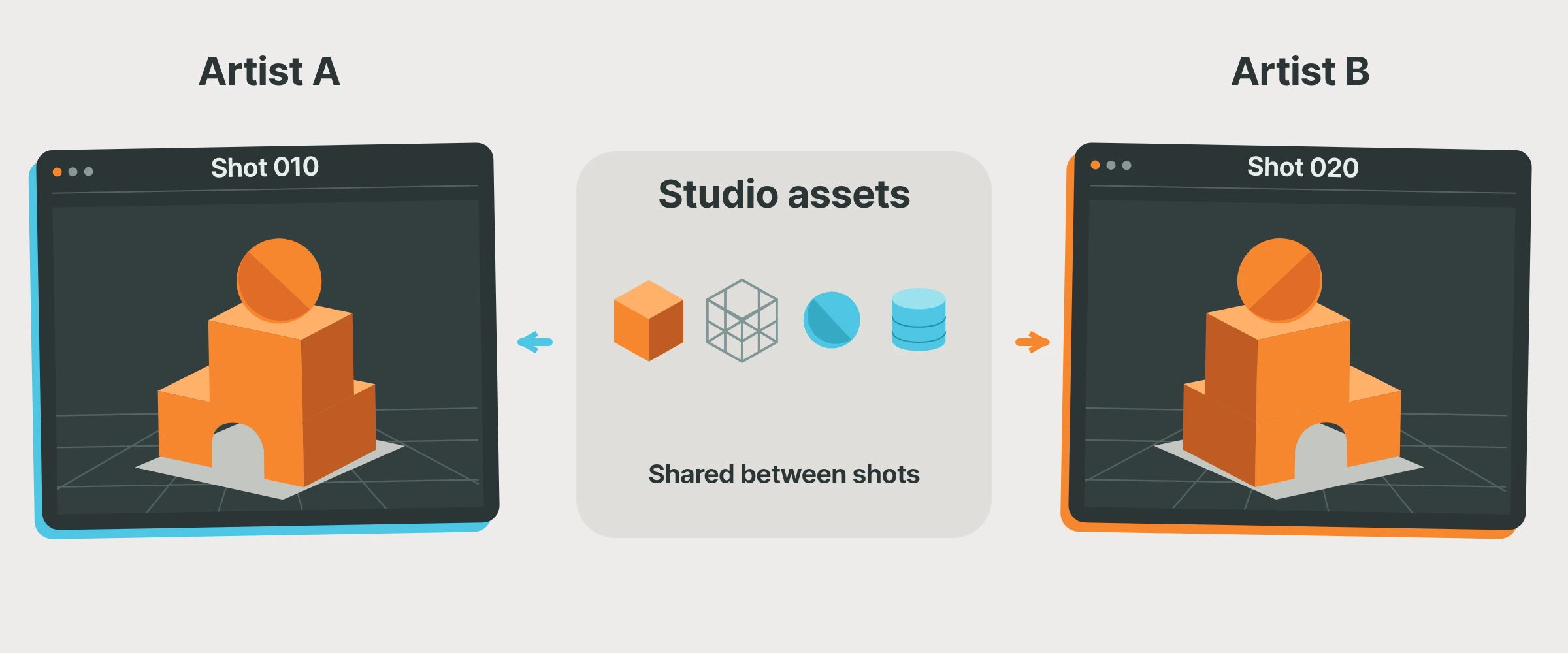 Separate shots, shared assets, fewer repeated transfers.
Use a cache that is already there
When a cache is on the farm and absent from your workstation, Add synced assets lets you select it for a later submission if it appears in your studio's available synced-asset list. The browser groups files into folders and sequences. Check that the listed version covers the job's frame range and that the scene expects those paths before including it.
This can avoid downloading a large cache simply to upload it again, but the browser is not a complete inventory of every uploaded or farm-generated file. Check current availability and any reuse warnings. Farm working storage is not an archive; keep a studio copy of assets you need to preserve.
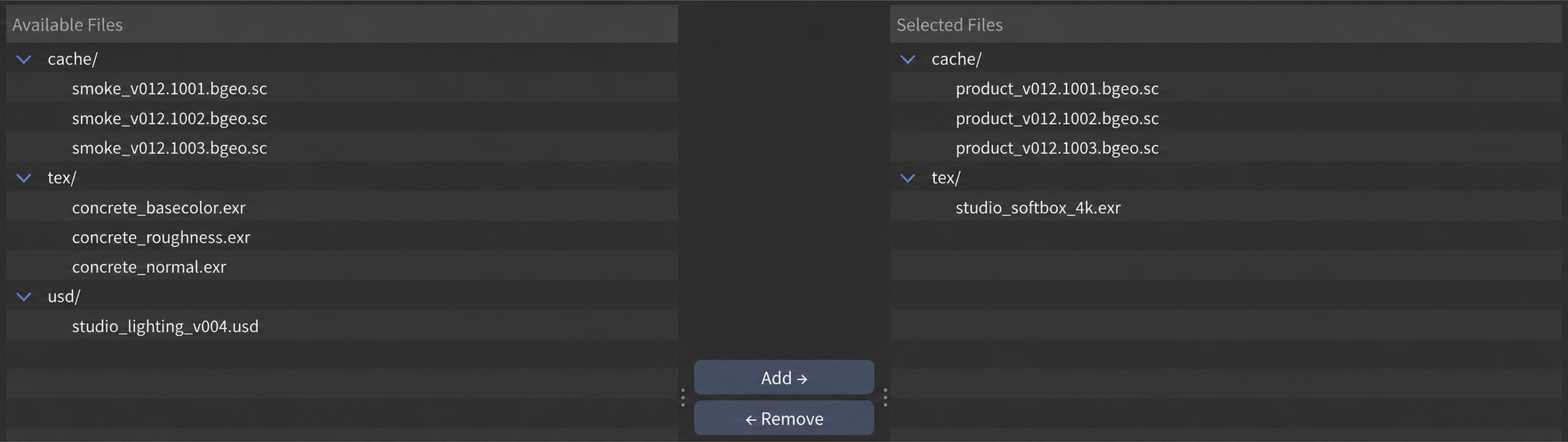 Choose the files needed for the next job. Shown here with illustrative demo filenames.
To see how your own pipeline behaves, submit a short range through the Houdini integration, then compare the asset panel after a camera change and after replacing one texture. Inspect the returned frames as well as the transfer list. If the camera revision regenerates a large combined export, that is useful information about where your publishing layout limits reuse. For help interpreting a particular asset setup, talk to us.